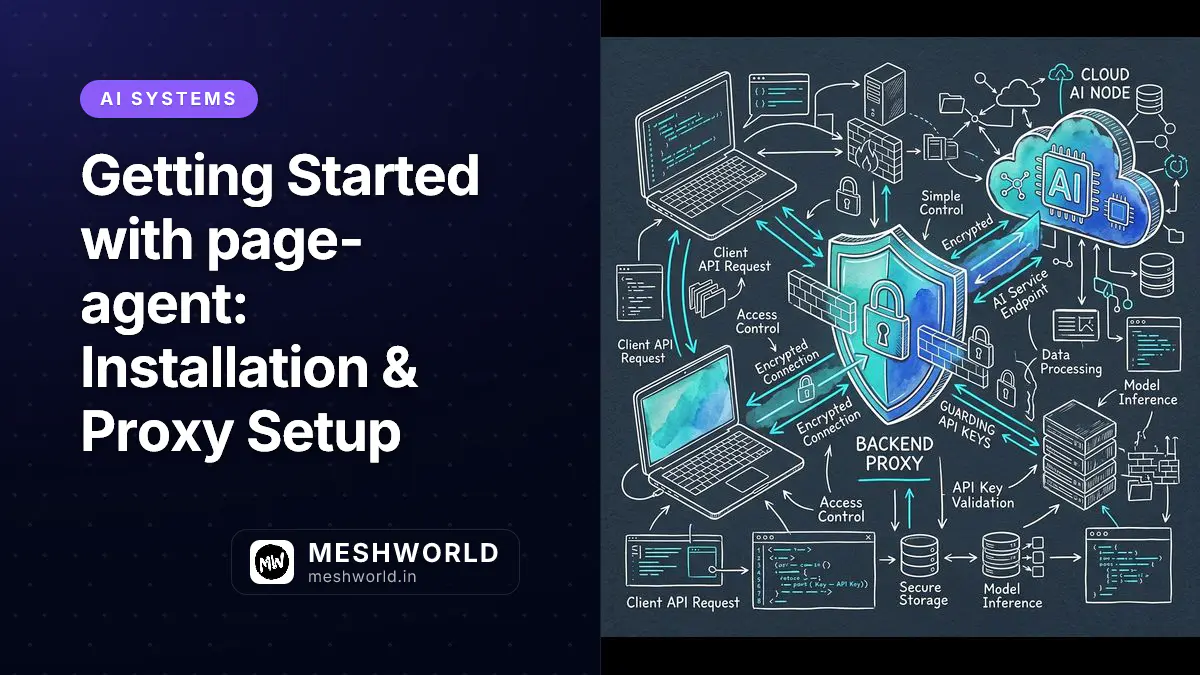
Setting up Alibaba’s page-agent means integrating client-side JavaScript with a secure server-side API proxy. Because page-agent runs directly inside the user’s browser, exposing raw OpenAI or Anthropic API keys in client-side code creates a serious security vulnerability that can lead to credential theft and financial losses.
Building on the security and credential isolation patterns from our local AI CLI setup guide, this tutorial provides a complete step-by-step walkthrough for installing page-agent, building a zero-trust backend API proxy, and initializing the PageController in modern Web applications.
Installation: How Do You Install page-agent in Your Frontend Project?
You install page-agent in your frontend project by adding the package via pnpm or npm, or by adding a CDN script tag to your web application’s HTML head section.
Package manager installation is recommended for modern TypeScript, React, Next.js, and Vue applications:
# Using pnpm (recommended for fast cached installs)
pnpm add page-agent

# Using npm or yarn
npm install page-agent
For legacy web portals, static HTML dashboards, or micro-frontend architectures, you can load page-agent directly via CDN without requiring a node-based bundling setup:
<!-- Include page-agent UMD script in your HTML header -->
<script src="https://cdn.jsdelivr.net/npm/page-agent@latest/dist/page-agent.umd.js"></script>
Security Architecture: Why Do You Need a Backend Proxy Endpoint?
You need a backend proxy endpoint because client-side JavaScript code is fully inspectable by users, meaning any API keys embedded directly in browser scripts can be stolen and misused by attackers.
flowchart LR
    A[Client Browser / page-agent] -->|1. Dehydrated DOM + Prompt| B[Next.js API Proxy /api/page-agent]
    B -->|2. Appends API Key & Validates| C[OpenAI / Claude API Endpoint]
    C -->|3. Tool Calls / Action JSON| B
    B -->|4. Sanitized Response| A
By routing request payloads through your server, the backend proxy injects secret API keys, enforces user authentication, applies rate limiting, and validates incoming data before dispatching calls to third-party LLM providers.
Implementation: How Do You Build a Secure Next.js Proxy Route?
You build a secure Next.js proxy route by creating an API handler that receives the client request, appends secret environment variables, and forwards the payload to the LLM API.
Create a route handler in Next.js (App Router) at app/api/page-agent/route.ts:
import { NextRequest, NextResponse } from "next/server";

export async function POST(req: NextRequest) {
  try {
    const { messages, model } = await req.json();

    // 1. Verify user authentication & session state
    const apiKey = process.env.OPENAI_API_KEY;
    if (!apiKey) {
      return NextResponse.json(
        { error: "Server configuration error: Missing API Key" },
        { status: 500 },
      );
    }

    // 2. Validate input payload structure
    if (!Array.isArray(messages) || messages.length === 0) {
      return NextResponse.json(
        { error: "Bad Request: Invalid messages payload" },
        { status: 400 },
      );
    }

    // 3. Forward payload securely to provider endpoint
    const response = await fetch("https://api.openai.com/v1/chat/completions", {
      method: "POST",
      headers: {
        "Content-Type": "application/json",
        Authorization: `Bearer ${apiKey}`,
      },
      body: JSON.stringify({
        model: model || "gpt-4o",
        messages: messages,
        temperature: 0.1,
      }),
    });

    if (!response.ok) {
      const errorText = await response.text();
      return NextResponse.json(
        { error: `Upstream provider error: ${errorText}` },
        { status: response.status },
      );
    }

    const data = await response.json();
    return NextResponse.json(data);
  } catch (error) {
    return NextResponse.json(
      { error: "Internal proxy execution failed" },
      { status: 500 },
    );
  }
}Alternative Proxies: How Do You Implement an Express or Hono Backend Proxy?
You implement an Express or Hono backend proxy by defining a POST middleware route that extracts client payload messages, attaches secret process environment headers, and forwards the request to your target LLM.
For teams running Node.js Express or edge-compatible Hono backends, here is the implementation pattern:
// Express.js Backend Proxy Route Example
import express from "express";
import fetch from "node-fetch";

const app = express();
app.use(express.json());

app.post("/api/page-agent", async (req, res) => {
  const { messages, model } = req.body;
  const apiKey = process.env.OPENAI_API_KEY;

  if (!apiKey) {
    return res.status(500).json({ error: "Server configuration error" });
  }

  const response = await fetch("https://api.openai.com/v1/chat/completions", {
    method: "POST",
    headers: {
      "Content-Type": "application/json",
      Authorization: `Bearer ${apiKey}`,
    },
    body: JSON.stringify({
      model: model || "gpt-4o",
      messages,
      temperature: 0.1,
    }),
  });

  const data = await response.json();
  res.json(data);
});
Client Setup: How Do You Initialize PageController?
You initialize PageController by creating a new controller instance, passing your backend proxy URL to the baseUrl parameter, and registering human-in-the-loop callback handlers for sensitive actions.
When initializing PageController in client-side modules, specify the proxy URL, model target, and safety callbacks:
import { PageController } from "page-agent";

// Initialize PageController bound to local proxy route
const controller = new PageController({
  baseUrl: "/api/page-agent",
  model: "gpt-4o",

  // Custom system prompt instructions for in-page behavior
  systemPrompt: `You are an in-page AI assistant. Perform requested actions accurately using minimal DOM clicks and inputs.`,

  // Register Human-in-the-loop (HITL) safety callback
  onRequireConfirmation: async (action) => {
    console.warn("HITL Safety Gate Triggered:", action);
    return confirm(
      `Allow page-agent to perform: ${action.type} on target: ${action.target}?`,
    );
  },
});

// Helper function to execute natural language tasks
export async function executeUserCommand(userPrompt: string) {
  try {
    console.log(`Starting execution for task: "${userPrompt}"`);
    const result = await controller.execute(userPrompt);
    console.log("Task executed successfully:", result);
    return result;
  } catch (err) {
    console.error("Task execution failed:", err);
    throw err;
  }
}
Error Handling: How Do You Handle Network & Proxy Timeout Errors?
You handle network and proxy timeout errors by wrapping PageController execution calls inside try-catch blocks and configuring automatic retry logic for transient 504 Gateway Timeouts.
When executing complex tasks across slow networks, upstream proxy endpoints may experience network timeouts. Implementing exponential backoff retries ensures robust client behavior:
// Execution wrapper with exponential backoff retry policy
export async function executeWithRetry(
  userPrompt: string,
  maxRetries = 3,
): Promise<any> {
  let attempt = 0;
  while (attempt < maxRetries) {
    try {
      return await controller.execute(userPrompt);
    } catch (error) {
      attempt++;
      console.warn(`Execution attempt ${attempt} failed. Retrying...`);
      if (attempt >= maxRetries) throw error;
      await new Promise((res) => setTimeout(res, 1000 * Math.pow(2, attempt)));
    }
  }
}
Production Verification & Deployment Checklist
Before deploying page-agent to production environments, verify your installation against the following readiness standards:
- Environment Isolation: Confirm that
OPENAI_API_KEYis not present in build artifacts (dist/or.next/static/). - Authentication Gate: Ensure the
/api/page-agentproxy enforces valid session tokens or cookies before forwarding requests. - Rate Limiting: Attach token-bucket or IP-based rate limiting to prevent denial-of-wallet exploits.
- Console Monitoring: Register global error listeners to catch unhandled DOM target selection errors during long-running tasks.
Frequently Asked Questions
Can I use CORS to allow client calls directly to OpenAI?
No. While OpenAI supports CORS for client keys, embedding production API keys in browser JavaScript leaves your account vulnerable to quota theft and data compromise.
Does page-agent support streaming responses?
Yes. You can configure PageController with streaming proxies to process token chunks in real-time as the model generates action steps.
How do I handle proxy authentication?
Send standard JWT authorization headers from your frontend fetch request. The backend proxy validates the header before invoking the LLM provider.