You add a custom Astro integration. A post-build hook that does something useful — publish a sitemap, call an API, whatever. Then your build fails with: [ERROR] [indexnow-automation] IndexNow build automation failed: Vite module runner has been closed.
The issue: astro:build:done fires after Vite has already shut down. Any dynamic import() inside that hook crashes because the module loader is gone.
Here’s how to fix it — with static imports or subprocesses.
Why This Happens
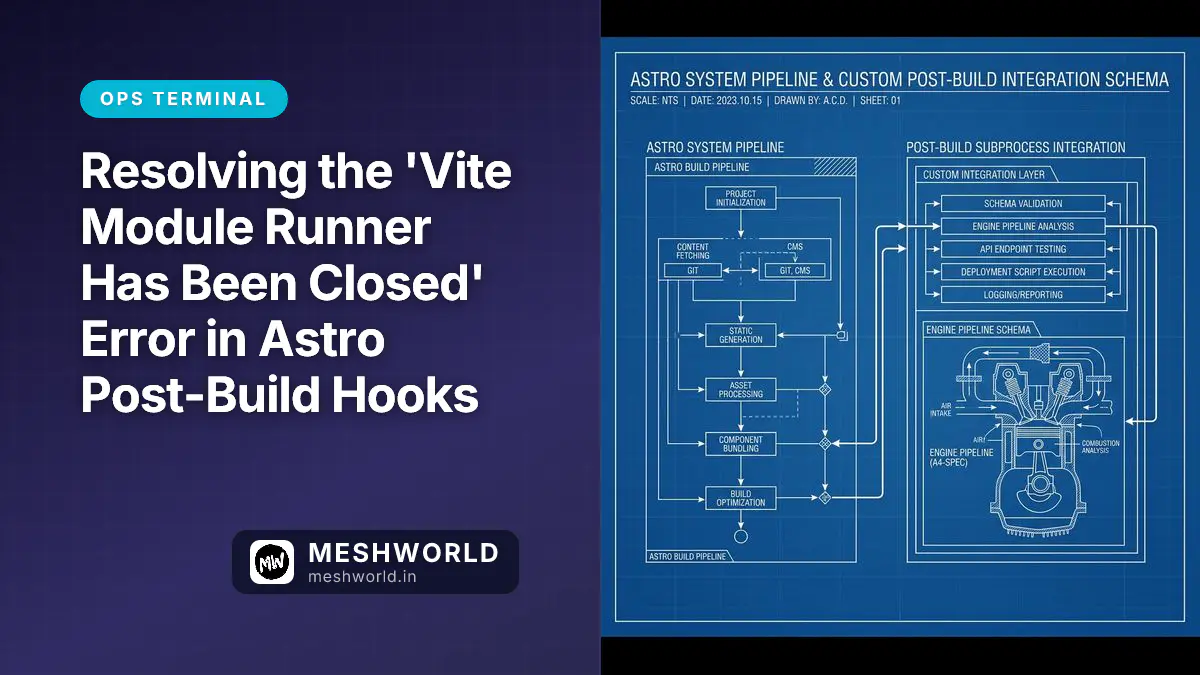
Astro builds in stages: compile assets, generate sitemap, tear down Vite, then fire astro:build:done. By the time your hook runs, Vite’s module runner is dead:
Astro Build Pipeline:
[Static Compilation] --> [Sitemap Generation] --> [Vite Server Teardown] --> [astro:build:done Hooks]
                                                                                      |
                                                                          Dynamic import() Fails Here!
Try await import('fs') inside that hook and the Vite ESM engine throws because its loader is already closed. The rule: don’t do dynamic imports after Vite has shut down.
Step 1: Static Imports
Keep it simple — move all imports to the top of astro.config.mjs. Node resolves these at startup, so they’re available through the entire hook lifecycle.
Don’t do this:
// astro.config.mjs
export default defineConfig({
  integrations: [
    {
      name: 'post-build-plugin',
      hooks: {
        'astro:build:done': async ({ dir }) => {
          // ❌ Triggers "Vite module runner has been closed"
          const fs = await import('fs');
          const path = await import('path');
        }
      }
    }
  ]
});
Do this instead:
// astro.config.mjs
import { defineConfig } from 'astro/config';
import fs from 'fs';
import path from 'path';
import { fileURLToPath } from 'url';

export default defineConfig({
  integrations: [
    {
      name: 'post-build-plugin',
      hooks: {
        'astro:build:done': async ({ dir }) => {
          // ✅ Static imports work fine
          const distDir = fileURLToPath(dir);
          const sitemapPath = path.join(distDir, 'sitemap-index.xml');
          if (fs.existsSync(sitemapPath)) {
            console.log('Sitemap verified!');
          }
        }
      }
    }
  ]
});
Step 2: Handle Build Directories Properly
Astro passes the build directory as a file URL, not a filesystem path. So dir is a URL object, and you need fileURLToPath to use it with fs or path:
import { fileURLToPath } from 'url';
import path from 'path';

// Inside your build hook
const distPath = fileURLToPath(dir);
const targetFile = path.resolve(distPath, 'my-compiled-asset.json');
This handles path delimiters, trailing slashes, and spaces consistently whether you’re building locally on macOS or in a Linux CI container.
Step 3: Spawn Subprocesses for Heavy Work
If your post-build hook does real work — parsing HTML, running link audits, sending IndexNow pings — don’t run it in the main thread. Spawn a subprocess instead:
import { spawn } from 'child_process';
import path from 'path';

// Inside your 'astro:build:done' hook
const scriptPath = path.resolve('./scripts/my-post-build-audit.ts');
const auditor = spawn('bun', [scriptPath], { stdio: 'inherit' });

auditor.on('close', (code) => {
  if (code === 0) {
    console.log('✅ Post-build audit finished successfully!');
  } else {
    console.error(`❌ Post-build audit failed with code ${code}`);
  }
});
This keeps the heavy logic completely separate from the closing Astro/Vite runtime — isolated thread, separate memory, no interference. If you’re hardening your deployment pipeline, also check the Emergency Privacy Kit for CI/CD credential hygiene.
Frequently Asked Questions
Can I use require() instead of ESM imports in Astro?
No. Astro configs are ESM-only (type: "module" in package.json). Using require() will crash the compiler. Stick to standard import statements.
Why does this error only happen in production?
In astro dev, Vite stays alive for HMR. The module runner never shuts down, so dynamic imports work fine. The bug only surfaces in astro build when Vite terminates right after compilation.
What is the maximum duration for a post-build hook?
Depends on your host. Netlify, Vercel, and GitHub Actions typically timeout between 15 and 30 minutes. Keep your hooks fast or run them asynchronously.