1. Why Run LLMs Locally? The Paradigm Shift
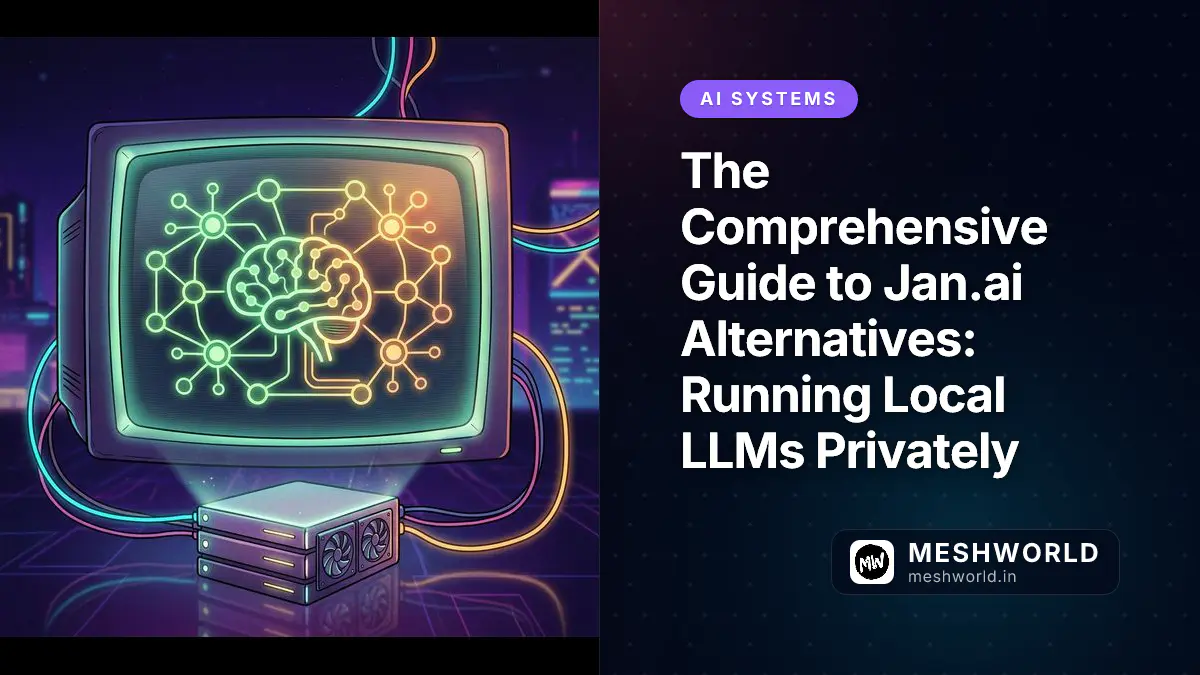
Jan.ai occupies an important position in the local AI stack: it packages local inference into a cross-platform desktop application, exposes an OpenAI-compatible API, and lets privacy-focused users download open-weight models such as Llama, Qwen, Gemma, DeepSeek, and Mistral. Under the hood, it relies on llama.cpp for CPU and GPU execution, and on Apple Silicon it can use MLX for unified-memory acceleration. That architecture makes it a strong privacy-first default for users who want a ChatGPT-like experience without sending prompts to a third party.
Users still evaluate alternatives for concrete engineering reasons. Some want a lighter background service with lower idle memory; others need stronger context window scaling, better integration with agent frameworks, sandboxed code execution, native Multi-Token Prediction, or cleaner multi-user access controls. Jan.ai is also a broad desktop product, which means its resource profile, extension model, and update cadence may not match every workflow. A developer building automation may prefer Ollama. An enterprise team may prefer Open WebUI or AnythingLLM. A hardware-constrained user may prefer GPT4All. A model customizer may prefer Unsloth Studio.
The local AI ecosystem is not a single product category. It is a stack: model weights, quantizations, inference engines, local APIs, desktop GUIs, web frontends, RAG pipelines, agent runtimes, and compliance boundaries. The best Jan.ai alternative depends on which layer you care about most.
The “At-A-Glance” Matrix
| Tool Name | Core Backend Engine | Interface Type | Standout Superpower | Ideal User Persona |
|---|---|---|---|---|
| Ollama | llama.cpp, MLX, ROCm, CUDA | Background CLI + REST API | Single-command model runtime and localhost API | Developers, automation, local backends |
| LM Studio | llama.cpp + MLX | Native GUI + local server | Polished model browsing and Apple Silicon tuning | Beginners, evaluators, solo power users |
| Open WebUI | Ollama / OpenAI-compatible APIs | Self-hosted web UI | Multi-user RBAC, RAG, and web search routing | Teams, families, self-hosted workspaces |
| AnythingLLM | Ollama, LM Studio, LocalAI, and other backends | Desktop / Docker GUI | Workspace-isolated document ingestion | Knowledge workers, enterprises |
| GPT4All | llama.cpp / Nomic backend | Native GUI + local API | CPU-first low-spec execution | Older laptops, offline users |
| Unsloth Studio | Unsloth + llama.cpp; GGUF/safetensors | Local web UI | No-code fine-tuning plus local inference | Model customizers, researchers |
| Atomic Chat | Atomic Llama.cpp TurboQuant, upstream llama.cpp, MLX-VLM | Tauri desktop + API | Speculative-decoding architecture and MCP-native agents | Speed-focused local agent users |
| Cherry Studio | Ollama, LM Studio, cloud APIs | Desktop GUI | Multi-provider routing and assistant panels | Hybrid local/cloud users |
2. What Are the Best Alternatives to Jan.ai?
2.1 Ollama — The Developer Runtime Standard
Official: Official Site
Ollama is best understood as the local inference daemon for programmatic AI workflows. Instead of presenting a heavy chat UI, it runs a background service that manages models, exposes a REST API on localhost:11434, and abstracts away much of the complexity involved in downloading, quantizing, and serving open-weight models. The mental model is similar to Docker: ollama pull fetches a model, ollama run starts an interactive session, and the service keeps the model available for subsequent API calls. For developers, this is the cleanest way to make local inference behave like a managed service without surrendering data to a cloud provider.
Mechanically, Ollama wraps llama.cpp and related execution paths, then adds a model registry, a Modelfile system, and an OpenAI-compatible /v1 endpoint. A Modelfile lets you pin a base model, embed llama.cpp system prompts, set temperature, control num_ctx for context window scaling, and define reusable model variants. This is important because local models are not just “files”; they are runtime configurations. The same Qwen3 GGUF can behave differently depending on context length, repetition penalties, GPU layer offload, and sampling parameters. Ollama makes those configurations portable.
The API surface is where Ollama becomes powerful. Because it speaks OpenAI-compatible request formats, LangChain, LlamaIndex, agent frameworks, IDE plugins, and custom Python scripts can point at http://localhost:11434/v1 instead of a remote cloud endpoint. That single change keeps prompt text, retrieved documents, and generated completions on the user’s machine. Ollama also supports embeddings, which makes it a practical backend for local RAG pipelines when paired with a vector database or a frontend such as Open WebUI.
Its main limitation is user interface. Ollama does not ship a native graphical chat client by default. That is a feature for engineers and a friction point for casual users. Model exploration is command-driven, and while ollama show exposes architecture, quantization, and context length, a beginner may prefer a GUI that visualizes those attributes. Still, for automation, containers, local servers, and developer environments, Ollama is the unchallenged backbone.
Pros: Low idle footprint after models unload, excellent scripting and API story, strong ecosystem compatibility, simple model management, OpenAI-compatible localhost endpoint.
Cons: No native GUI by default, less visual parameter tuning, manual Modelfile editing required for advanced behavior, default localhost binding needs deliberate exposure for LAN use.
2.2 LM Studio — The Polished Desktop Giant
Official: Official Site
LM Studio is the most approachable graphical environment for local models. It provides a desktop application where users can search models, download GGUF quantizations, load them into memory, chat with them, and start a local OpenAI-compatible server without touching the terminal. Where Ollama is a runtime standard, LM Studio is a consumer-grade control panel for local AI.
Architecturally, LM Studio sits on top of llama.cpp and MLX. On Apple Silicon, it can use MLX to exploit unified memory and Metal acceleration. On Windows and Linux, it uses llama.cpp’s CUDA, ROCm, Vulkan, or CPU paths depending on hardware. The practical effect is that a user with an M-series Mac can load larger models more efficiently because the system does not separate RAM from VRAM. On discrete-GPU PCs, LM Studio maps model layers to the available accelerator and reports memory usage, context length, and generation status in the interface.
One of LM Studio’s strengths is model discovery. It integrates Hugging Face model browsing directly into the app, so users can find Llama, Qwen, Gemma, DeepSeek, and other open-weight releases without manually downloading GGUF files. After loading a model, the chat interface exposes straightforward controls: temperature, min-p, top-p, top-k, max tokens, context length, and system prompt. For users experimenting with prompt engineering, that visual feedback loop is valuable.
LM Studio also includes a local server mode, typically available at http://localhost:1234/v1, which lets other apps treat it like an OpenAI endpoint. This makes it useful for local coding assistants, document chat, and private automation. The main caveats are licensing and auditability. The LM Studio GUI is closed-source, while parts of its tooling and engine integrations are open-source. Enterprises should review update behavior, catalog/telemetry settings, and outbound network requests before deployment. LM Studio states that chat data remains local, but closed-source desktop software still requires trust in the vendor’s build.
Pros: Excellent beginner-friendly GUI, integrated Hugging Face browsing, strong Apple Silicon MLX support, visual parameter tuning, effortless local server mode.
Cons: Closed-source desktop app, less auditable than Apache-2.0 alternatives, enterprise governance requires manual review, model management is app-centric rather than infrastructure-centric.
2.3 Open WebUI — The Ultimate Self-Hosted Interface
Official: Official Site
Open WebUI is not an inference engine. It is a self-hosted frontend and orchestration layer that turns local models into a ChatGPT-like workspace. Most commonly, it is deployed with Docker and connected to Ollama, though it also supports OpenAI-compatible APIs and several cloud providers. Its value is not raw inference speed; it is the surrounding system: accounts, roles, documents, tools, model presets, and shared access.
The architecture is straightforward but powerful. Open WebUI runs as a web service, usually on http://localhost:3000 or behind a reverse proxy. The first account becomes the administrator. From there, an admin can enable or disable sign-ups, assign roles, control model access, and manage connections to Ollama or other backends. This makes it suitable for trusted LAN environments, small teams, and families who want one private AI entry point rather than many disconnected desktop apps.
Its RAG pipeline is a major differentiator. A user can upload PDFs, Markdown, text, DOCX, CSV, or web content. Open WebUI handles parsing and embedding, then exposes a chat interface where answers can include citations. It also supports chat versus query modes, agent capabilities, multi-user roles, and API access. Compared with building a RAG stack by hand, Open WebUI compresses the pipeline into a GUI.
The limitation is interface flexibility. It is excellent for document Q&A, but less oriented toward low-level inference tuning, agent frameworks, or custom system prompts compared with Ollama plus a developer frontend.
Pros: ChatGPT-like self-hosted UX, multi-user access controls, built-in RAG, web search routing, strong model preset and admin controls.
Cons: Requires Docker or technical setup, default posture assumes trusted environments, governance and backups are the operator’s responsibility, not a training or fine-tuning tool.
2.4 AnythingLLM — The No-Code RAG Champion
Official: Official Site
AnythingLLM is designed for one workflow above all others: chatting with your own documents privately. It is an all-in-one desktop and Docker application that combines model connections, embedding models, vector storage, document ingestion, and chat history into a single workspace-based interface. For users whose primary goal is local RAG rather than model experimentation, it removes much of the integration burden.
Its core architectural idea is the workspace. Each workspace contains its own documents, embedding configuration, chat history, and retrieval settings. This isolation prevents cross-contamination between knowledge bases. A legal team can maintain a contracts workspace, an engineering team can maintain a specs workspace, and an HR team can maintain a policies workspace without their documents leaking into one another’s context. That design matters in enterprise data governance, where mixing datasets is a compliance risk.
The document ingestion flow is the product’s strength. Users can drag in PDFs, Office files, text, Markdown, spreadsheets, or web pages. AnythingLLM handles parsing and embedding, then exposes a chat interface where answers can include citations. It also supports chat versus query modes, agent capabilities, multi-user roles, and API access. Compared with building a RAG stack by hand, AnythingLLM compresses the pipeline into a GUI.
The limitation is interface flexibility. It is excellent for document Q&A, but less oriented toward low-level inference tuning, agent frameworks, or custom system prompts compared with Ollama plus a developer frontend.
Pros: Turn-key local document ingestion, workspace isolation, built-in vector database, multi-user roles, minimal RAG setup.
Cons: Standard chat UI is less customizable than LM Studio, heavier focus on RAG than model experimentation, depends on external local backends for inference quality.
2.5 GPT4All — The Low-Spec Efficiency King
Official: Official Site
GPT4All is the most accessible entry point for users with older hardware. It was built to make local models run on mainstream consumer CPUs without dedicated GPU infrastructure. While modern local AI discussions often assume an RTX graphics card or an Apple Silicon Mac, many users still have Intel laptops, AMD desktops, or low-VRAM machines. GPT4All targets exactly that audience.
The application provides a native desktop chat client, a model browser, and a local API. Under the hood, it uses optimized inference libraries including llama.cpp paths and Nomic’s backend tooling. The key design goal is zero-configuration operation: download the app, install a recommended model, and start chatting. For non-technical users, this is more approachable than compiling llama.cpp or managing Ollama models through the terminal.
GPT4All supports GGUF quantizations and CPU execution, with optional Vulkan acceleration on supported GPUs. That means a 7B or 8B class model can often run on a machine with 8–16 GB of RAM, albeit with lower throughput than a GPU-accelerated stack. The trade-off is acceptable for private drafting, summarization, basic coding help, and document chat. Heavy 32B or 70B models are not the target; GPT4All is about breadth of access, not maximum model size.
Its LocalDocs feature is especially relevant for privacy-conscious users. It allows local document ingestion so the model can answer questions from files without uploading them anywhere. Combined with the local API at http://localhost:4891/v1, GPT4All can act as a small private backend for simple applications. Developers can point OpenAI-compatible clients at that endpoint and replace cloud calls with local ones.
The limitation is performance on large models. Because it is optimized for CPU-bound and low-VRAM environments, inference can be slower than Ollama on GPU, LM Studio on MLX, or more specialized local runtimes. But for users who prioritize accessibility, offline operation, and minimal hardware requirements, GPT4All remains a strong Jan.ai alternative.
Pros: Extremely lightweight, CPU-friendly, zero-config desktop app, offline operation, built-in local document chat.
Cons: Lower throughput on heavy models, less suited for large-parameter workloads, fewer advanced inference controls than developer-centric runtimes.
2.6 Unsloth Studio — The Advanced Power-User Lifecycle App
Official: Official Site
Unsloth Studio is unusual because it spans the full model lifecycle: inference, fine-tuning, evaluation, and export. Most Jan.ai alternatives are inference or orchestration tools. Unsloth Studio is also a training environment. It runs as a local web UI and backend, lets users load GGUF or safetensors models, chat with them, fine-tune them without writing training code, and export customized weights for local deployment.
The inference side is familiar: users can browse Hugging Face or local models, select a quantization appropriate for available RAM or VRAM, and adjust temperature, top-p, top-k, and system prompts. The training side is where it diverges. Through a visual interface, users can configure LoRA, QLoRA, or full fine-tuning, monitor training loss, gradient norm, and GPU utilization, then compare the base model against the fine-tuned model in a side-by-side Model Arena. This closes the loop between experimentation and deployment.
Unsloth’s optimization story is important. Its kernels are designed to improve training throughput and reduce memory consumption on supported setups. That matters because fine-tuning large models is normally constrained by GPU memory. Lower VRAM pressure means a 13B or 34B model may be adaptable on consumer-class hardware that would otherwise be excluded from custom training.
Another differentiator is the sandboxed code environment. Unsloth Studio can execute Python and Bash in an isolated context, similar in spirit to code-artifacts workflows, allowing models to test generated code, create files, or verify computations. It also includes data recipes, which can convert raw PDFs, CSVs, DOCX, TXT, and JSON files into training-ready datasets. After training, models can be exported as GGUF or 16-bit safetensors for use in Ollama, LM Studio, llama.cpp, Atomic Chat, or Jan.ai.
The learning curve is higher than LM Studio or GPT4All because the user is now reasoning about datasets, adapters, epochs, rank, and quantization export. But for users who want to create rather than merely consume models, Unsloth Studio is one of the most complete local toolchains.
Pros: Local no-code fine-tuning, memory-conscious training design, GGUF/safetensors export, sandboxed code execution, side-by-side model evaluation.
Cons: More complex than pure chat tools, training still requires capable GPU memory, lifecycle scope can overwhelm casual users.
2.7 Atomic Chat — The Next-Gen Optimization King
Official: Official Repository
Atomic Chat is a modern local AI desktop client built with Rust and Tauri, which gives it a smaller binary and lower idle footprint than Electron-based alternatives. More importantly, it is engineered around inference optimization. Rather than simply wrapping a single engine, it exposes multiple backends through one OpenAI-compatible API at http://localhost:1337/v1. Those backends include an Atomic Llama.cpp TurboQuant fork, upstream llama.cpp, and MLX-VLM for Apple Silicon vision-language models.
The headline technical features are TurboQuant KV-cache compression, Multi-Token Prediction (MTP), and DFlash block-diffusion decoding. In practical terms, these are speculative-decoding and memory-compression strategies. MTP uses a draft model or assistant head to predict several tokens ahead; the main model verifies them in one pass. When accepted, this can increase token generation speed without changing the final output distribution. DFlash is a block-diffusion speculative method available on certain Apple Silicon models. The actual effect depends on architecture, context, hardware, and whether the model supports the draft path.
TurboQuant addresses the other bottleneck: memory. By compressing the KV cache and using optimized kernels, Atomic Chat can reduce the memory required for long contexts. This is critical because context window scaling is not free; longer conversations require more KV-cache memory, which can exhaust VRAM or unified memory before model weights become the problem. A compressed KV cache allows larger effective context on the same hardware.
Atomic Chat also supports the Model Context Protocol (MCP). That means external tools, filesystems, web search, databases, and custom agent servers can be connected to the local model through a standardized interface. Combined with its local API, projects, custom assistants, and artifact preview panel, it is positioned as an agent-native local workspace rather than a static chat box.
The ecosystem is newer than Ollama or LM Studio, so community documentation and third-party guides are still maturing. But for users who care about modern inference architecture and agent connectivity, Atomic Chat is one of the most technically interesting Jan.ai alternatives.
Pros: Low idle footprint from Rust/Tauri, KV-cache compression design, MTP and speculative-decoding architecture, native MCP support, unified local API.
Cons: Newer ecosystem, speed and memory effects are model-dependent, advanced decoding features require supported architectures and careful configuration.
2.8 Cherry Studio — The Premier Hybrid Workspace
Official: Official Site
Cherry Studio is best described as a multi-provider AI workspace. It supports local runtimes such as Ollama and LM Studio, while also allowing users to bring their own API keys for cloud endpoints including OpenAI, Anthropic, Gemini, DeepSeek, OpenRouter, SiliconFlow, and other OpenAI-compatible services. That hybrid design makes it useful for users who want offline privacy for some tasks and cloud capability for others, without switching applications.
Architecturally, Cherry Studio is a desktop client rather than an inference engine. When used privately, it depends on a local backend. Ollama might serve http://localhost:11434, while LM Studio might serve http://localhost:1234/v1. Cherry Studio connects to those endpoints and presents a unified chat and assistant interface. This means its privacy posture is inherited from the local runtime: if the user disables cloud providers and only selects Ollama or LM Studio, the model execution stays on-device.
The limitation is interface flexibility. It is excellent for document Q&A, but less oriented toward low-level inference tuning, agent frameworks, or custom system prompts compared with Ollama plus a developer frontend.
Pros: Multi-provider routing, unified chat interface, easy switch between local and cloud endpoints, strong for hybrid workflows.
Cons: Privacy depends on chosen backend, less control over inference internals, may inherit limitations of underlying runtimes.
3. How Do Local AI Runtimes Pair with Hardware?
Apple Silicon: Unified Memory Changes the Math
On Apple Silicon, the CPU, GPU, and neural engine share a single memory pool. That means a model can offload layers to the GPU or neural engine without copying data between separate memory spaces. The practical effect is that a 7B parameter model can run with far less RAM overhead than on x86 systems, where weights must be copied between CPU and GPU memory. That efficiency is why Apple Silicon machines can run larger GGUF quantizations than comparable x86 laptops.
Windows/Linux: VRAM Tiers for GGUF and EXL2
On x86 systems, memory is split between system RAM and dedicated GPU memory. GGUF quantization formats let you trade precision for size, but the trade-off is more pronounced when VRAM is limited. EXL2 is a specialized quantization that reduces memory further at the cost of some speed. Choosing between them depends on your GPU’s VRAM budget and the model’s size.
4. How Do You Govern Local Data and Privacy?
Running an LLM locally means your data never leaves your machine. That is the core promise of tools like Jan.ai and its alternatives. However, governance still matters:
- Model provenance: Verify that the weights you download come from trusted sources (e.g., Hugging Face, official model releases).
- Quantization safety: Some GGUF files may be modified with malicious code. Use checksums or signatures when available.
- API exposure: If you run a local server (e.g., Ollama, LM Studio), ensure it is bound to
127.0.0.1unless you intentionally expose it. A misconfigured bind address can leak your model to the network. - Data retention: Even though prompts stay on-device, some frontends log interactions. Clear logs if you need strict ephemeral behavior.
Frequently Asked Questions
Which Jan.ai alternative is fastest on Apple Silicon? LM Studio and Unsloth Studio typically deliver the highest throughput on Apple Silicon because they exploit MLX and unified memory. GPT4All also performs well on CPU-bound workloads.
Is LM Studio safer or more private than Jan.ai? Both run locally, but LM Studio’s closed-source nature means you must trust the vendor’s update process. Ollama and Open WebUI are fully open-source, giving you full visibility into what runs on your machine.
How do I run a self-hosted ChatGPT clone using Ollama and Open WebUI?
- Install Ollama and pull a model (
ollama run llama3). - Start Open WebUI with Docker (
docker run -p 3000:8080 --add-host=host.docker.internal:host-gateway:172.17.0.1 -v open-webui:/app/backend/data -e OLLAMA_BASE_URL=http://host.docker.internal:11434 openwebui/open-webui). - Point Open WebUI to Ollama’s API endpoint.
Can I fine-tune an AI model locally using these alternatives?
Yes. Unsloth Studio provides a no-code fine-tuning interface. For command-line control, you can use llama.cpp or text-generation-webui with LoRA adapters. AnythingLLM can ingest fine-tuned models as backends.
This guide assumes you have a basic understanding of model quantization, context windows, and inference backends. If you need a refresher, revisit my earlier deep-dive on How AI and Connected Ball Technology Are Reshaping the 2026 FIFA World Cup.
Disclaimer: All performance numbers are approximate and depend on hardware, OS, driver versions, and model variants. Always test with your own workload before committing to a production setup.