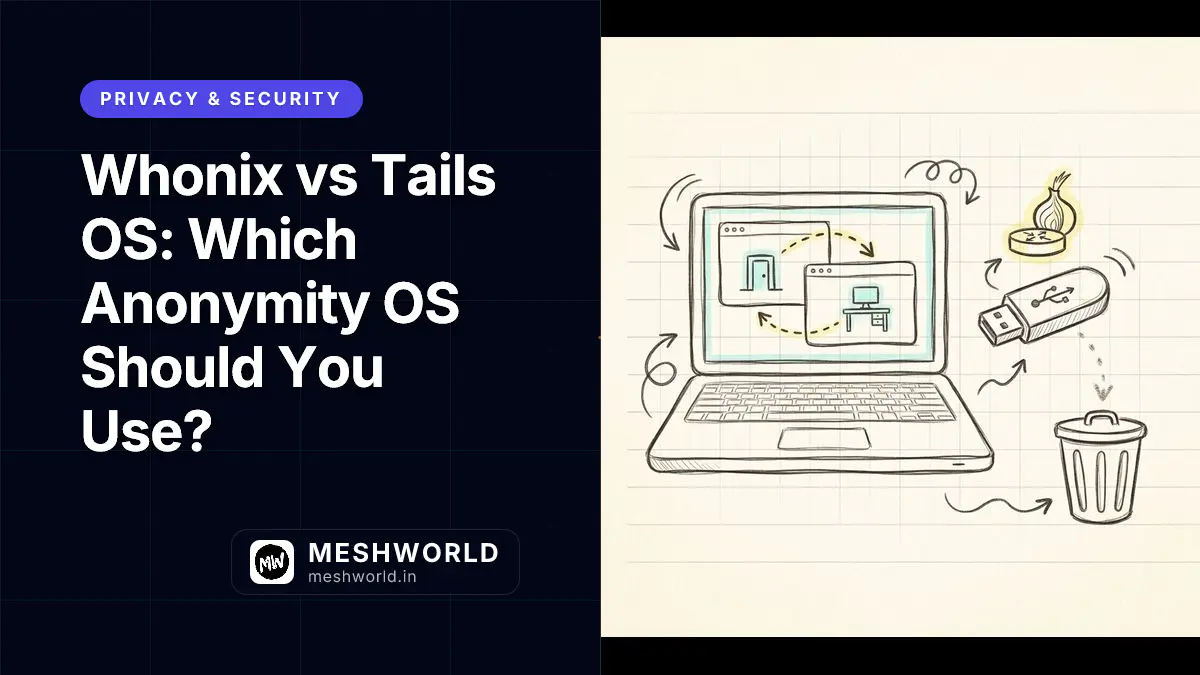
I get asked some version of this question at least once a month: “I need to be anonymous online, should I use Whonix or Tails?” The honest answer is that it depends on what you’re actually protecting against, and most people asking have never sat down to work that out. Whonix is a pair of virtual machines that forces every byte of traffic through Tor and keeps running persistently on your host. Tails is a live operating system you boot from a USB stick that forgets everything the moment you shut it down. Both route through Tor. Neither is “more anonymous” in the abstract. They protect against different failure modes.
Prerequisites
Before you try either system, you should have:
- A computer with a 64-bit x86-64 processor. Tails does not run on Apple Silicon Macs, ARM devices, or Raspberry Pi. Whonix’s VirtualBox and KVM images also expect an AMD-V or Intel VT-x capable CPU.
- At least 8GB of RAM if you plan to run Whonix (the project recommends splitting it across host, Gateway, and Workstation), or 3GB free if you’re running Tails directly on hardware.
- A basic comfort with the command line. Neither project is plug-and-play the way a phone app is, and you will occasionally need to read a terminal error message and act on it.
- An honest answer to “what am I actually defending against.” This guide assumes you already understand what Tor does and doesn’t hide — if you haven’t nailed that down yet, read that first.
What is Whonix and how does its architecture work?
Whonix is a Debian-derived operating system distributed as two separate virtual machines that always run together: Whonix-Gateway and Whonix-Workstation. The Gateway is the only VM allowed to touch the network, and it routes every packet through Tor. The Workstation is where you actually work, browse, and run applications, and it has no direct route to the internet at all. It can only talk to the Gateway.
That split is the entire security model in one sentence. If malware compromises your browser, your email client, or anything else running on the Workstation, and even gets root on that VM, it still cannot discover your real IP address, because the Workstation genuinely does not know it. There’s nothing to leak because the information was never available in the first place. Compare that to a normal setup where you run Tor Browser directly on your everyday desktop: a bug in the browser, a misconfigured plugin, or a DNS request that slips outside the Tor SOCKS proxy can expose your real address in one shot. Whonix removes that failure mode by design rather than by hoping every application behaves.
Whonix sits on top of Kicksecure, a hardened Debian derivative that applies a long list of security defaults (kernel hardening, restricted permissions, AppArmor profiles) before Whonix adds its own Tor-specific isolation on top. Because Kicksecure is itself just Debian with configuration and scripts layered on, you can install ordinary Debian packages on Whonix without breaking the isolation model, which is a nice property if you’ve ever fought with a locked-down appliance OS that refuses to let you install anything.
The current stable line is Whonix 18, built on Debian trixie. If you’re running Whonix 17, the project’s own upgrade guide is blunt about it: downloading fresh Gateway and Workstation images is often less painful than working through the in-place release upgrade steps, especially if you’re not deeply comfortable with apt and Debian’s major-version transitions.
How does the Gateway/Workstation split actually stop leaks?
Picture a normal laptop running Tor Browser next to a chat app and a torrent client that both quietly phone home outside the Tor process. That’s how most real-world deanonymization happens: not a cryptographic break in Tor, but a second application on the same machine leaking your IP through a channel nobody thought to route. Whonix’s answer is to physically separate “the thing that knows your real network identity” from “the thing running your risky applications,” using virtual machine boundaries instead of hoping every app respects a proxy setting.
The Workstation’s network interface is configured so its only reachable host is the Gateway’s internal IP. There is no default route to the wider internet, no DNS server it can query directly, nothing. Every one of your applications, whether it’s aware of Tor or not, ends up routed through the Gateway’s Tor process or blocked outright. The old marketing framing from the Whonix project is “IP and DNS leaks are impossible, even for malware with root privileges” — that’s a strong claim, and it holds up specifically because the leak-prone information simply isn’t present on the Workstation to begin with.
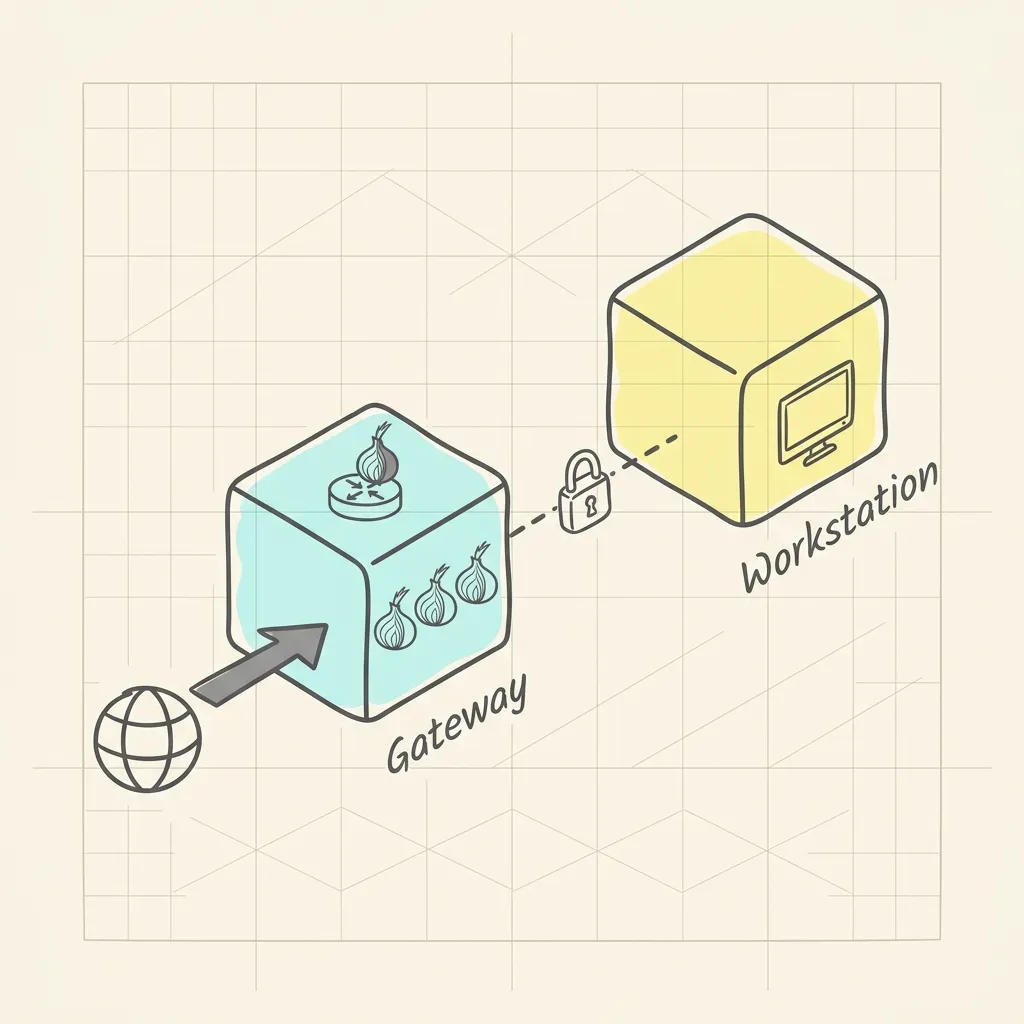 Image Prompt: A premium hand-drawn isometric vector doodle illustration on warm cream paper. Two labeled boxes represent virtual machines connected by a single thin dashed line: the left box labeled with a small onion-router icon and the word “Gateway,” the right box labeled with a small monitor/desktop icon and the word “Workstation.” A thick graphite arrow enters the Gateway box from outside labeled with a simple globe doodle, passes through three small onion-layer circles drawn inside the Gateway box, then a thin dashed connector line runs to the Workstation box. A small hand-drawn padlock doodle sits on the dashed line between the two boxes. Soft pastel cyan highlight fills the Gateway box, soft pastel yellow highlight fills the Workstation box. Graphite grey outlines throughout, playful hand-drawn arrows, faint grid notebook lines in the background. No text, no watermark. Square 1
What is Qubes-Whonix and when does it matter?
Whonix can run under VirtualBox, KVM, or Qubes OS. VirtualBox and KVM are hosted hypervisors: your regular desktop OS boots first, and the VMs run as applications on top of it. If that host OS gets compromised, both of your Whonix VMs are sitting on the same compromised foundation.
Qubes OS flips that relationship. Qubes is itself a Xen-based bare-metal hypervisor, meaning it boots first and everything else, including your “normal” desktop environment, runs as an isolated VM (a “qube”) on top of it. Qubes-Whonix takes advantage of hardware virtualization features like VT-x and VT-d to compartmentalize not just Gateway and Workstation from each other, but from every other qube on the system too. The Gateway VM is typically named sys-whonix and acts as a shared Tor proxy that other qubes (anon-whonix and any additional AppVMs you create) can route through. You can spin up multiple disposable Workstation qubes off the same Gateway, so a compromised browser session in one qube doesn’t touch the files or history in another.
If your threat model includes “an attacker who can compromise applications on my machine, not just observe network traffic,” Qubes-Whonix is a meaningfully stronger setup than VirtualBox-Whonix. The tradeoff is a steeper learning curve and hardware that supports the required virtualization extensions.
What is Tails OS and how does its live-boot model work?
Tails stands for The Amnesic Incognito Live System, and the name is a fair description of what it does. You install Tails onto a USB stick, boot your computer from that USB stick instead of its internal drive, and you get a full Debian-based desktop that runs entirely from RAM. Tails never writes to your hard disk during normal operation, and when you shut it down, the RAM is wiped, taking every trace of the session with it: browsing history, opened documents, clipboard contents, everything.
That “leaves no trace” property is the whole point. Tails is built for situations where you can’t guarantee the safety of the computer you’re using, or where you specifically don’t want any evidence of what you did on that machine to survive past the session. Journalists working on borrowed hardware, activists in hostile jurisdictions, or anyone who just doesn’t want a shared family computer to keep a permanent record of their browsing fall into this category.
Tails routes all network traffic, not just your browser, through the Tor network by default. It ships Tor Browser as the primary way to browse the web, and the Tails project has an official partnership with the Tor Project; the same organization builds Tor Browser, maintains the Tor network’s relay software, and develops Tails. That’s a closer relationship than most people realize, and it’s part of why Tor Browser inside Tails tends to get security fixes on the same timeline as the standalone Tor Browser release.
The current stable release is Tails 7.10.1, shipped on 2026-08-05 as an emergency release. The project’s own release notes describe it as fixing critical security vulnerabilities in the Linux kernel and the expat XML library, which is a good reminder that “amnesic” doesn’t mean “unpatched.” Tails still needs the same kind of urgent security updates any Linux distribution does, and the project pushes them out fast when the underlying components have a real vulnerability.
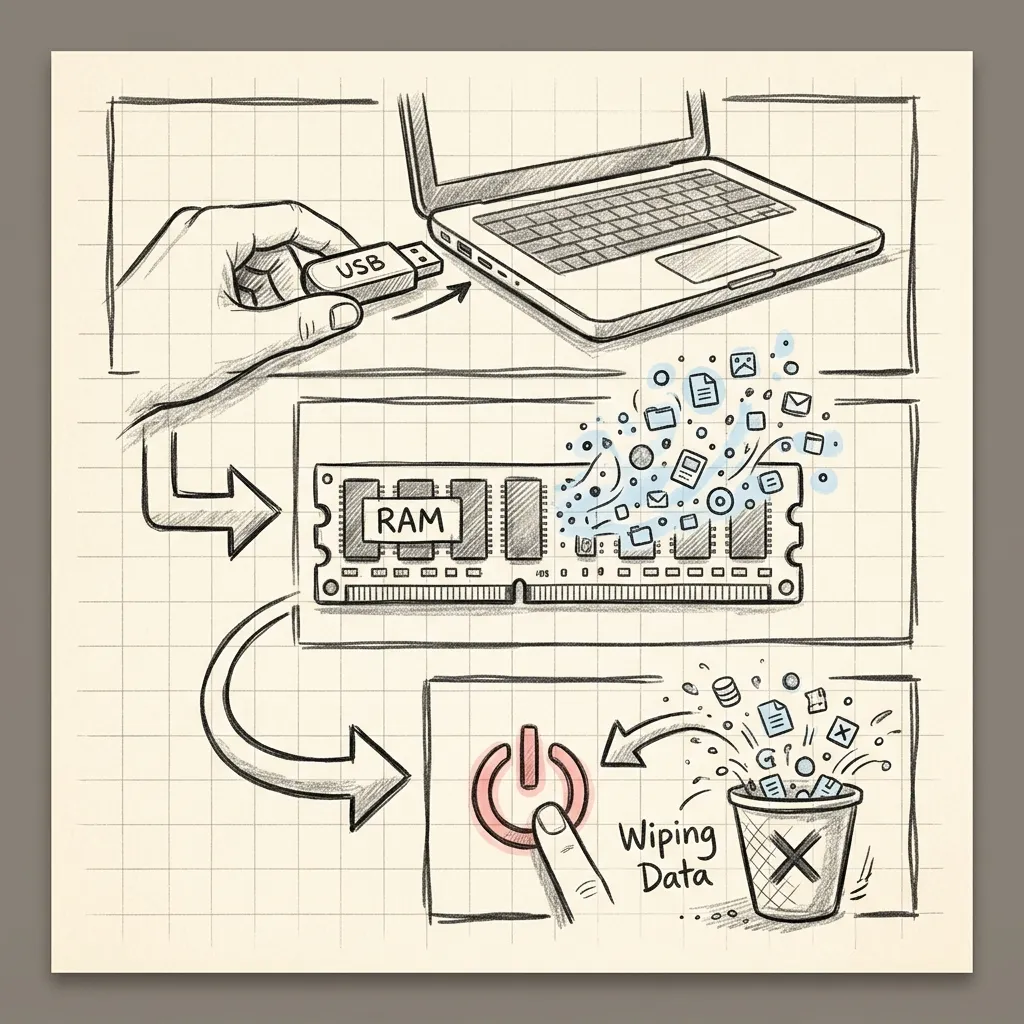 Image Prompt: A premium hand-drawn sketch note style illustration on warm cream paper. A USB stick doodle on the left with a small arrow pointing right into a laptop silhouette, inside the laptop a cloud-shaped doodle labeled with a simple RAM chip icon glowing with soft pastel yellow highlight. From the RAM cloud, a dashed graphite line loops back around to a trash-can doodle at the bottom right labeled with a small “power off” icon, illustrating memory being wiped on shutdown. Hand-drawn arrows connect each stage in sequence, small onion-router icon floating above the laptop to represent Tor traffic, playful warning-triangle doodle near the trash can. Graphite grey outlines, faint grid notebook lines in the background, soft cyan and pastel yellow color accents. No text, no watermark. Square 1
What does persistent storage in Tails actually persist?
By default, everything in Tails disappears at shutdown, which is inconvenient if you need to keep a set of documents, browser bookmarks, or SSH keys across multiple sessions. Tails supports an optional Persistent Storage feature: an encrypted partition on the same USB stick where you selectively choose which categories of data survive a reboot. You can persist your Tor Browser bookmarks and downloaded files without persisting your entire browsing history, for example, and everything in that partition is encrypted with a passphrase you set during creation.
This is an opt-in tradeoff. The more you persist, the more a stolen or seized USB stick can reveal about you, even with encryption, since the encryption is only as strong as your passphrase and only protects data at rest, not data currently open in a live session on a compromised host.
Why does Tails warn you about running inside a virtual machine?
Here’s a detail that surprises people who assume “more layers of isolation is always better”: Tails actively displays a warning when it detects it’s running inside a VM, and the project explicitly recommends against it unless you trust both the host operating system and the hypervisor software completely.
The reasoning is straightforward once you think about what a VM actually does. Your host OS and hypervisor sit underneath Tails and can observe or log what happens inside the guest, which defeats the “nobody can tell what I did” guarantee that live-booting from bare metal provides. Memory swapping on the host can also copy pieces of the Tails session’s RAM to the host’s disk, leaving exactly the kind of trace Tails is designed to avoid. And MAC address anonymization, one of Tails’ privacy features, only spoofs the address the guest OS presents; it does nothing to the real network interface on the host.
Because of these tradeoffs, Tails officially supports only two virtualization tools, both on Linux hosts: GNOME Boxes for a simpler setup with no Persistent Storage support, and virt-manager for more advanced configurations that do support it. The project no longer advertises virtualization solutions for Windows or macOS hosts at all. If you’re testing Tails out of curiosity, a VM is fine. If your safety depends on leaving no trace, boot from real hardware.
How do Whonix and Tails compare on architecture and threat model?
Both projects use Tor to hide your network location. Past that, they’re solving different problems, and the table below is the fastest way to see where they diverge.
| Dimension | Whonix | Tails |
|---|---|---|
| Delivery model | Two persistent VMs (Gateway + Workstation) | Live-boot USB, amnesic by default |
| Base OS | Kicksecure (hardened Debian) | Debian GNU/Linux |
| Current stable version | 18 (Debian trixie base) | 7.10.1 (released 2026-08-05) |
| Leaves traces on host? | Yes, VM disk images persist on the host drive | No, RAM is wiped at shutdown |
| Protects against local malware with root | Yes, on the Workstation, because it never knows the real IP | No specific defense; assumes hardware is clean each boot |
| Best hardware fit | A machine you own and control long-term | Any compatible x86-64 machine, including borrowed ones |
| Persistent data across sessions | Native, since the VMs simply keep existing | Opt-in encrypted Persistent Storage partition |
| Strongest variant | Qubes-Whonix (bare-metal hypervisor isolation) | N/A, single delivery model |
| Update cadence concern | You must remember to update the host, Gateway, and Workstation | Boot pulls the latest USB image; you must periodically re-flash |
Which one handles application compromise better?
Whonix, clearly. The two-VM split means an exploited application on the Workstation has no path to your real IP address even with root privileges on that VM, because the Workstation genuinely never has that information. This matters more than people assume: a lot of real-world compromise starts with something as mundane as a convincing phishing message rather than a sophisticated network attack, and Whonix’s isolation still holds even when the thing that gets tricked is a human clicking a bad link. Tails runs everything in one environment; a sufficiently powerful exploit against Tor Browser or another app running in that session has, at least in theory, more surface to work with since there’s no internal network boundary between “the browser” and “the rest of the OS.” In practice, Tails mitigates this with its own hardening and the same sandboxing Tor Browser ships with everywhere else, but it’s not the same structural guarantee Whonix provides.
Which one handles a seized or stolen device better?
Tails, clearly. A live USB stick that you can physically destroy or simply not carry with you leaves nothing behind on the host machine you were using. A Whonix installation lives on your host’s disk as VM image files; if someone takes that laptop, the VMs (and anything you saved inside the Workstation) are sitting right there, encrypted only if you set up full-disk encryption on the host yourself. Whonix does not erase itself. It’s meant to be a workspace you return to, not a session you walk away from.
Which one handles network-level surveillance better?
Neither has an edge here, because both delegate this job entirely to Tor. If an adversary can watch traffic entering and leaving the Tor network at scale (a “global passive adversary” in the academic literature, or realistically a well-resourced state actor with visibility into major internet exchange points), both systems are equally exposed to timing and volume correlation attacks. Whonix’s own documentation is upfront that “one-click anonymization solutions simply do not exist” and that end-to-end netflow correlation isn’t something the Gateway/Workstation split can defend against, because it’s a Tor-network-level limitation, not something either OS layer controls.
How do I set up Whonix for the first time?
The fastest path for most people is the VirtualBox image, since it doesn’t require Qubes-compatible hardware or a from-scratch Qubes install.
- Check virtualization support. Confirm your CPU has AMD-V or Intel VT-x enabled in the BIOS/UEFI settings. Most machines from the last decade have this, but it’s occasionally switched off by default.
- Install VirtualBox from a source you trust, ideally verifying the checksum against the vendor’s published values.
- Download the Whonix VirtualBox images (Gateway and Workstation) directly from whonix.org, and verify the downloaded files’ signatures using the verification instructions on the download page before importing anything. Skipping verification defeats a meaningful part of the supply-chain protection the project builds in.
- Import both VMs into VirtualBox, allocate RAM per the project’s recommendation (roughly 2GB for the Gateway, 4GB for the Workstation, on top of what your host OS needs), and start the Gateway first.
- Complete the Gateway’s first-run Tor connection wizard, then start the Workstation and confirm it can only reach the internet through the Gateway.
- Update both VMs immediately using the built-in update tool before doing anything sensitive, since a freshly downloaded image can be weeks or months behind the latest security patches.
How do I set up Tails for the first time?
- Confirm your hardware is compatible. You need a 64-bit x86-64 processor; Apple Silicon Macs, ARM boards, and Raspberry Pi devices are not supported.
- Get a USB stick of at least 8GB, understanding that everything currently on it will be erased during installation.
- Download the Tails image and verify it using the official verification method (either the Tails Verification browser extension or a manual OpenPGP signature check). This step matters more for Tails than almost any other download you’ll do this year, since a tampered image handed to you specifically because you’re trying to be anonymous is a realistic attack.
- Flash the image to the USB stick using the recommended tool for your current OS (Tails itself, balenaEtcher, or GNOME Disks, depending on what you’re starting from).
- Reboot and select the USB stick as the boot device, usually via a one-time boot menu key (F12, F2, Esc, or similar depending on your hardware).
- Set up an administration password only if you need it for a specific session task; leaving it blank disables root access entirely for that boot, which is the safer default for most sessions.
- Optionally create Persistent Storage on first use if you know you’ll need specific files or settings to survive a reboot, and choose exactly which categories to persist rather than persisting everything by default.
I’ve walked less technical friends through this setup twice now, once for a journalist and once out of plain curiosity from someone worried about a stalker-ish ex tracking their online activity. Both times the part that tripped them up wasn’t Tails itself, it was skipping the signature verification step because it felt like an extra hoop. It isn’t. It’s the one step in the whole process that confirms nobody handed you a doctored copy.
Who should use Whonix and who should use Tails?
The short version: Whonix fits a persistent workspace on hardware you own, and Tails fits a single disposable session on hardware you don’t fully control. The rest of this section breaks that down by specific situation, since “it depends” isn’t useful advice on its own.
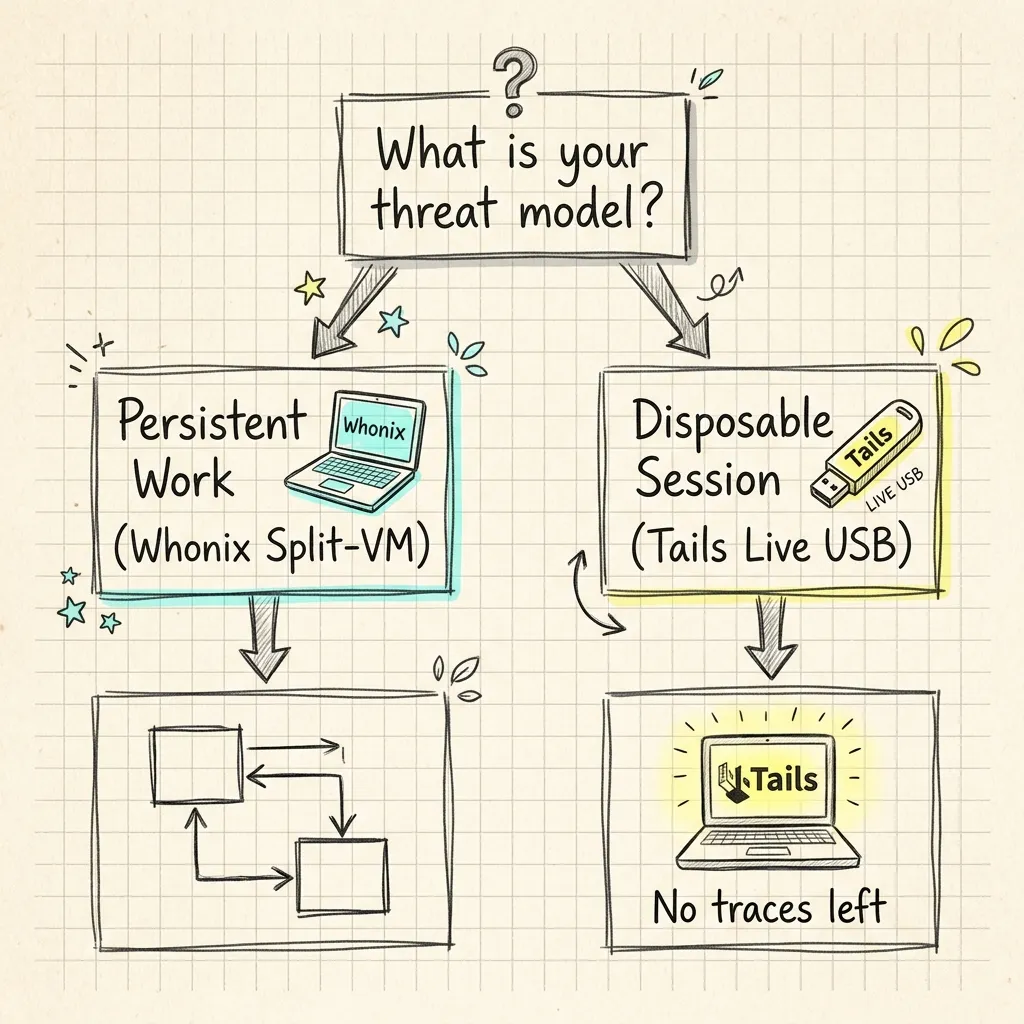 Image Prompt: A premium hand-drawn sketch note style illustration on warm cream paper. A simple branching flowchart doodle starting from a single hand-drawn question-mark bubble at the top, splitting into two paths with hand-drawn arrows. The left path leads to a small doodle of two stacked boxes labeled with a tiny computer-tower icon representing a persistent workspace, ending in a soft pastel cyan highlighted circle. The right path leads to a small doodle of a USB stick with a tiny trash-can icon beside it representing a disposable session, ending in a soft pastel yellow highlighted circle. Playful hand-drawn arrows and a small sticky-note doodle near the question mark, graphite grey outlines throughout, faint grid notebook lines in the background. No text, no watermark. Square 1
When does Whonix make more sense?
Choose Whonix if you need a persistent anonymous workspace on hardware you own and trust, and your bigger worry is application-level compromise: malware, a compromised extension, a zero-day in something you’re forced to run. Researchers who need to maintain long-running anonymous accounts, security professionals doing sustained OSINT work, or anyone who wants Tor-routed isolation as a permanent fixture of their daily setup fits this profile. Whonix also makes sense if you’re already comfortable running VMs or Qubes and want the strongest isolation guarantees available for that model.
When does Tails make more sense?
Choose Tails if you need one clean, disposable session and can’t guarantee (or don’t want to rely on) the security of the machine you’re sitting at. That covers borrowed computers, library or internet-cafe terminals, situations where you specifically need zero trace to survive if the device is later inspected, or simple cases where you just want a safe way to handle one sensitive task without setting up a whole persistent environment. Tails is also the more approachable of the two for someone who has never run a VM before; boot from USB is a much shorter learning curve than importing and networking two separate virtual machines correctly.
Can I use both?
Yes, and a fair number of security-conscious people do, for different tasks. I keep a Tails stick in a drawer specifically for the rare situation where I need to use hardware I don’t fully trust, while Whonix (via Qubes) is where I do anything that benefits from staying in one place across sessions. They’re not competitors so much as two tools with different jobs, and treating the choice as “which one is better” instead of “which one fits this specific task” is the most common mistake I see people make when they’re new to this.
Summary
- Whonix isolates your applications from your network identity using a permanent two-VM split (Gateway and Workstation), so compromised software can’t leak your real IP even with root access.
- Tails is a live, amnesic USB operating system that wipes its own memory at shutdown and leaves nothing behind on the host machine.
- Qubes-Whonix strengthens Whonix’s isolation further by running it on a bare-metal hypervisor instead of a hosted one like VirtualBox or KVM.
- Tails explicitly warns against running inside a VM, because the host and hypervisor can undermine the amnesia and trace-free guarantees that make Tails useful in the first place.
- Neither system protects against a global adversary correlating traffic at both ends of the Tor network; that’s a limitation of Tor itself, not something either OS can fix.
Frequently Asked Questions
Is Whonix or Tails more anonymous?
Neither is categorically “more anonymous.” Both route all traffic through Tor, so the anonymity properties you get from the network itself are the same. The difference is what each OS protects against beyond that: Whonix protects against a compromised application leaking your real IP, and Tails protects against evidence of your session surviving on the host machine.
Can I run Whonix and Tails on the same computer?
Yes. They serve different purposes and don’t conflict. A common setup is keeping Tails on a USB stick for one-off sessions on untrusted hardware, while running Whonix as a persistent VM (or via Qubes) on a machine you own for ongoing anonymous work.
Does Tails protect me if my computer already has malware on it?
No. Tails assumes the hardware is otherwise clean at boot time. It cannot defend against a hardware keylogger, a compromised BIOS or firmware, or malware embedded below the operating system level, because those threats exist outside anything a live OS running from RAM can control.
Do I need Qubes OS to use Whonix?
No. Whonix runs on VirtualBox and KVM as standard hosted-hypervisor VMs without any Qubes involvement. Qubes-Whonix is a stronger variant for people who need hardware-level compartmentalization beyond the Gateway/Workstation split, not a requirement to use Whonix at all.
Will using Whonix or Tails make me completely untraceable?
No, and any project that told you otherwise would be lying to you. Both systems reduce specific, well-understood attack surfaces. Neither one, nor Tor itself, can promise protection against a well-resourced adversary capable of observing traffic at both ends of a connection over time. Treat both as strong tools within a broader set of habits, not a single switch that makes you invisible.
What to Read Next
If you want the deeper walkthrough on installing and using Tails day to day, see the complete Tails OS setup guide. And if you’re still deciding whether Tor-based tools or a VPN fit your situation better in the first place, Tor vs VPN breaks down what each one actually hides and what it doesn’t.