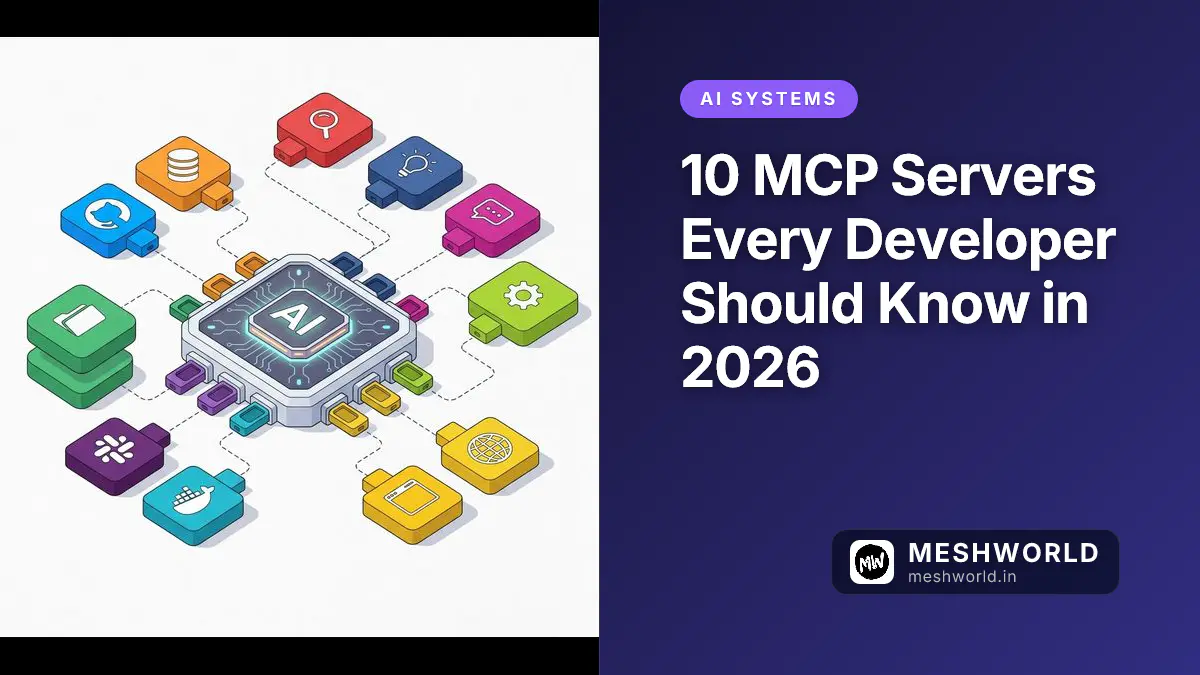
You just learned how to build MCP servers. Now you need to know which ones to actually use.
The MCP ecosystem has exploded. As of mid-2026, there are hundreds of MCP servers — from official reference implementations maintained by the MCP steering group to community-built ones that solve very specific problems. But here’s what most developers don’t realize: many of the most popular servers (GitHub, PostgreSQL, Slack) have been archived by the MCP steering group. They still work, but they’re no longer actively maintained. But most developers don’t need hundreds. They need the right ten.
I’ve tested dozens of MCP servers across Claude Code, Cursor, and Windsurf over the past six months. These are the ten that earned a permanent spot in my claude_desktop_config.json — organized by category, with real notes on what works and what doesn’t.
- Filesystem & Git MCP — The only officially maintained servers you need daily. Read/write files and manage repos.
- GitHub MCP — Still the most impactful, but archived. Works fine — just not actively maintained.
- PostgreSQL MCP — Query databases with natural language. Archived but functional for read-only.
- Playwright MCP — Official @playwright/mcp package. Browser automation that actually works.
- Slack/Linear/Notion/Docker MCPs — Community-built. Useful but check the MCP Registry for latest versions.
- Custom API MCP — Wrap your own internal APIs. The most valuable long-term investment.
How I Tested These Servers
Before diving in, here’s my methodology:
- Installed each server in Claude Desktop, Cursor, and Windsurf
- Used it for 2+ weeks on real projects (not toy examples)
- Evaluated on 5 criteria: reliability, documentation, setup ease, feature depth, and real-world usefulness
- Noted quirks: Every MCP server has rough edges. I’ll be honest about them.
Let’s start with the one server I can’t live without.
Category 1: Code & Repository Management
1. GitHub MCP Server (Community-Maintained)
What it does: Full GitHub integration — read repos, create issues, manage PRs, review code, trigger Actions, search code, and manage your entire GitHub workflow.
Important note: The GitHub MCP server was originally an official reference implementation by the MCP steering group but has been archived in 2025. The npm package still works and is widely used, but it’s no longer actively maintained by the MCP core team. Community forks exist with ongoing improvements.
Why it’s #1: This is the single most impactful MCP server I’ve used. Before GitHub MCP, I’d switch between my terminal and browser 10 times a day to check PR status, read issue comments, or review diffs. Now I just ask Claude: “Show me all open PRs that need my review” or “Create an issue for the login bug and assign it to @sarah.”
Setup:
{
  "mcpServers": {
    "github": {
      "command": "npx",
      "args": ["-y", "@modelcontextprotocol/server-github"],
      "env": {
        "GITHUB_PERSONAL_ACCESS_TOKEN": "ghp_your_token_here"
      }
    }
  }
}
What I love:
- PR review is straightforward — Claude reads the diff, explains changes, and suggests improvements
- Issue creation from natural language is surprisingly good (“Create a bug title about the checkout flow failing on Safari”)
- Works with both GitHub.com and GitHub Enterprise
- Supports GitHub Actions workflow management
What could be better:
- Rate limiting on large repos (5,000 requests/hour by default)
- Can’t merge PRs directly (by design, but sometimes I want it)
- The
search_codetool returns repo-relative URLs that need manual construction
Install: npx @modelcontextprotocol/server-github
2. Git MCP Server (Official Reference)
What it does: Local Git operations — commit, branch, diff, log, blame, stash, merge. Unlike GitHub MCP (which works with GitHub.com), this works with any Git repo.
Why it matters: Not everything lives on GitHub. I work with GitLab, Bitbucket, and bare repos. This server handles all of them. This is one of the few servers still actively maintained by the MCP steering group.
Setup:
{
  "mcpServers": {
    "git": {
      "command": "npx",
      "args": ["-y", "@modelcontextprotocol/server-git"]
    }
  }
}
Real-world use: I asked Claude to “Show me what changed in the last 3 commits on the staging branch and create a summary for our release notes.” It ran git log, read the diffs, and wrote a formatted changelog in 10 seconds.
Limitation: No remote operations (push/pull/fetch). It’s local-only by design.
Category 2: Databases & Storage
3. PostgreSQL MCP Server (Community-Maintained)
What it does: Connect to PostgreSQL, run queries, inspect schemas, and get query results — all from your AI client.
Important note: Like the GitHub server, the PostgreSQL MCP server has been archived by the MCP steering group. The npm package still works for read-only queries, but for production use, I recommend checking for actively maintained forks or building your own (it’s only ~100 lines of code).
Why it’s transformative: Database debugging used to mean opening pgAdmin, writing SQL, copying results, and pasting them into context. Now I just say: “Show me the top 10 slowest queries from the last 24 hours” or “What’s the schema of the orders table?”
Setup:
{
  "mcpServers": {
    "postgres": {
      "command": "npx",
      "args": ["-y", "@modelcontextprotocol/server-postgres"],
      "env": {
        "DATABASE_URL": "postgresql://user:password@localhost:5432/mydb"
      }
    }
  }
}
What I love:
- Schema introspection is excellent — Claude understands table relationships
- Read-only mode for production safety (set
READ_ONLY=true) - Works with any PostgreSQL-compatible database (Supabase, Neon, RDS, etc.)
What could be better:
- No support for MySQL or SQLite (separate servers exist but aren’t as polished)
- Large result sets can exceed context limits — always add
LIMITto your queries - Connection pooling can be tricky with multiple AI clients
Pro tip: Create a dedicated read-only database user for MCP. Never give AI write access to production.
4. Filesystem MCP Server (Official Reference)
What it does: Read, write, and manage files on your local machine. It’s the most downloaded MCP server in history for a reason. This is one of the officially maintained reference servers by the MCP steering group.
Why it’s essential: Every AI coding session involves reading and writing files. The Filesystem MCP server gives Claude access to your project files without you having to copy-paste paths or content.
Setup:
{
  "mcpServers": {
    "filesystem": {
      "command": "npx",
      "args": ["-y", "@modelcontextprotocol/server-filesystem", "/path/to/your/project"]
    }
  }
}
What I love:
- Claude can read entire file trees and understand project structure
- Supports glob patterns for file search
- Works with any file type (code, docs, configs, images)
What could be better:
- The path restriction is a security feature but can be frustrating with monorepos
- No built-in file watching (it can’t react to file changes automatically)
- Large files (>1MB) can cause context issues
Security note: Always restrict the allowed path to your project root. Never point it at / or your home directory.
Category 3: Communication & Collaboration
5. Slack MCP Server (Community-Maintained)
What it does: Read channels, post messages, search history, manage reactions, and interact with your Slack workspace.
Note: The original Slack MCP server was archived by the MCP steering group and is now maintained by the community (notably Zencoder). It works well but may not receive frequent updates.
Why it’s on the list: For teams that live in Slack (most teams), this server eliminates the “let me check Slack” context switch. Ask Claude: “What did Sarah say about the deployment in #engineering?” or “Post a message to #general that the release is live.”
Setup:
{
  "mcpServers": {
    "slack": {
      "command": "npx",
      "args": ["-y", "@modelcontextprotocol/server-slack"],
      "env": {
        "SLACK_BOT_TOKEN": "xoxb-your-bot-token",
        "SLACK_TEAM_ID": "T0123456"
      }
    }
  }
}
What I love:
- Channel history search is incredibly useful for catching up after vacation
- Can read threads and reactions, not just top-level messages
- Bot token means you don’t need to create a separate integration per user
What could be better:
- Can’t upload files (only text messages)
- Rate limits on large workspaces can be hit during heavy usage
- No DM support (channel-only by design)
Setup complexity: Medium. You need to create a Slack App with the right scopes. Budget 30 minutes for initial setup.
6. Linear MCP Server (Community-Maintained)
What it does: Full Linear integration — read issues, create issues, update status, manage cycles, and search across your workspace.
Note: The Linear MCP server is community-built and not an official Anthropic package. It’s well-maintained by the community but verify the specific package name before installing (search the MCP Registry for the latest version).
Why it beats Jira MCP: Linear’s API is cleaner, faster, and more consistent. If your team uses Linear, this server is a no-brainer. (Jira MCP exists too, but it’s more complex and less reliable.)
Setup:
{
  "mcpServers": {
    "linear": {
      "command": "npx",
      "args": ["-y", "@modelcontextprotocol/server-linear"],
      "env": {
        "LINEAR_API_KEY": "lin_api_your_key_here"
      }
    }
  }
}
Real-world use: During a sprint review, I asked Claude: “What issues did we close this sprint, and what’s still in progress?” It pulled the data from Linear, organized it by team member, and formatted it for our retrospective doc.
Limitation: Linear-only. If you use Jira, Asana, or Monday, you’ll need different servers (which exist but vary in quality).
Category 4: Browser & Web Automation
7. Playwright MCP Server (Official — @playwright/mcp)
What it does: Control a real browser — navigate pages, click elements, fill forms, take screenshots, and extract data. It’s the most powerful web automation MCP server available.
Why it’s incredible: This server turns Claude into a web scraper, QA tester, and automation engineer. “Test the login flow with invalid credentials and tell me what happens” — and it actually does it.
Setup:
{
  "mcpServers": {
    "playwright": {
      "command": "npx",
      "args": ["-y", "@playwright/mcp"]
    }
  }
}
What I love:
- Can test responsive design by resizing the viewport
- Screenshot capture is perfect for visual regression testing
- Works with SPAs (waits for React/Vue to render)
- Supports multiple browser contexts
What could be better:
- Headless mode is fast but misses some rendering issues
- Complex selectors can confuse the AI — sometimes you need to guide it
- Each browser session is stateless (no cookies persist between sessions)
Pro tip: Use this for smoke testing after deployments. “Go to the production site, log in, navigate to the checkout page, and verify the total shows $49.99.”
8. Browser Control MCP Server (Chrome Extension — Community)
What it does: Control your existing Chrome browser — not a new instance. It can interact with tabs you’re already logged into.
Note: This is a community project. The approach requires installing a Chrome extension + MCP server. It’s more complex than Playwright but solves the authenticated session problem that Playwright can’t.
Setup: Requires installing a Chrome extension + MCP server. More complex setup but worth it for authenticated workflows.
Real-world use: I used this to test a payment flow that required 2FA. Playwright couldn’t handle the authenticator app step, but Browser Control could use my already-authenticated session.
Caveat: The Chrome extension approach means you need to keep the extension active. Not ideal for CI/CD pipelines.
Category 5: Infrastructure & DevOps
9. Docker MCP Server (Community-Maintained)
What it does: Manage Docker containers — list, start, stop, restart, view logs, inspect, and execute commands inside containers.
Note: The Docker MCP server is community-built. It works well for common Docker operations but is not an official Anthropic project. Search the MCP Registry for the latest community package.
Why it’s useful: When debugging production issues, I used to SSH into servers, docker ps, docker logs, docker exec. Now I just ask: “Show me the logs from the api container for the last hour” or “Restart the worker container.”
Setup:
{
  "mcpServers": {
    "docker": {
      "command": "npx",
      "args": ["-y", "@modelcontextprotocol/server-docker"]
    }
  }
}
What I love:
- Container log access is invaluable for debugging
- Can execute commands inside containers (great for database queries)
- Works with Docker Compose (lists all services in a stack)
What could be better:
- No Kubernetes support (separate server exists but is less mature)
- Can’t build images (only manage existing containers)
- Requires Docker socket access — security consideration for shared machines
Security note: The Docker socket gives root-level access. Only use this on trusted machines, never on shared development servers.
Category 6: Knowledge & Documentation
10. Notion MCP Server (Community-Maintained)
What it does: Read and write Notion pages, databases, and blocks. Search across your workspace, create new pages, and update existing content.
Note: The Notion MCP server is community-built. There are several implementations — search the MCP Registry for the most up-to-date and well-maintained one. Notion’s API has improved significantly in 2025-2026, making the current generation of community servers quite capable.
Why it’s valuable: Notion is where most teams store documentation, meeting notes, and project specs. This server lets Claude access that knowledge base. “What does our API documentation say about the /users endpoint?” — and Claude reads your actual Notion docs to answer.
Setup:
{
  "mcpServers": {
    "notion": {
      "command": "npx",
      "args": ["-y", "@modelcontextprotocol/server-notion"],
      "env": {
        "NOTION_API_KEY": "secret_your_integration_token"
      }
    }
  }
}
What I love:
- Database queries are powerful — filter, sort, and paginate Notion databases
- Can create structured pages from AI-generated content
- Works with both workspace and shared integrations
What could be better:
- Notion’s API rate limit (3 requests/second) can bottleneck batch operations
- Complex page layouts don’t translate well to markdown
- No real-time sync — changes require manual refresh
Bonus: The Most Valuable MCP Server Isn’t on This List
Your Own Custom API MCP Server
The ten servers above solve common problems. But the highest-value MCP server is one you build yourself — wrapping your company’s internal APIs.
Here’s why: Your internal tools have context no public server can access. Your deployment system, your customer database, your monitoring dashboards, your CI/CD pipelines. These are where the real time savings live.
Building one is straightforward. Here’s a minimal example:
import { Server } from "@modelcontextprotocol/sdk/server/index.js";
import { StdioServerTransport } from "@modelcontextprotocol/sdk/server/stdio.js";
import { CallToolRequestSchema, ListToolsRequestSchema } from "@modelcontextprotocol/sdk/types.js";

const server = new Server(
  { name: "my-company-mcp", version: "1.0.0" },
  { capabilities: { tools: {} } }
);

server.setRequestHandler(ListToolsRequestSchema, async () => ({
  tools: [
    {
      name: "get_deployment_status",
      description: "Get the current deployment status for a service",
      inputSchema: {
        type: "object",
        properties: {
          service: { type: "string", description: "Service name" },
          environment: { type: "string", enum: ["staging", "production"] }
        },
        required: ["service"]
      }
    }
  ]
}));

server.setRequestHandler(CallToolRequestSchema, async (request) => {
  const { name, arguments: args } = request.params;

  if (name === "get_deployment_status") {
    const status = await fetch(
      `https://deploy.yourcompany.com/api/status/${args.service}?env=${args.environment || "production"}`
    ).then(r => r.json());

    return {
      content: [{
        type: "text",
        text: `${args.service} (${args.environment || "production"}): ${status.version} — ${status.status}`
      }]
    };
  }
});

const transport = new StdioServerTransport();
await server.connect(transport);The best MCP server is the one that solves YOUR specific problem. If your team uses a custom deployment tool, a proprietary CRM, or an internal monitoring system — wrap it in MCP. The ROI is enormous.
Quick Reference: All 10 Servers
| # | Server | Category | Status | Setup Difficulty | My Rating |
|---|---|---|---|---|---|
| 1 | GitHub | Code/Repo | Community (archived) | Easy | ⭐⭐⭐⭐⭐ |
| 2 | Git | Code/Repo | Official Reference | Easy | ⭐⭐⭐⭐ |
| 3 | PostgreSQL | Database | Community (archived) | Easy | ⭐⭐⭐⭐⭐ |
| 4 | Filesystem | Storage | Official Reference | Easy | ⭐⭐⭐⭐⭐ |
| 5 | Slack | Communication | Community (archived) | Medium | ⭐⭐⭐⭐ |
| 6 | Linear | Project Mgmt | Community | Easy | ⭐⭐⭐⭐ |
| 7 | Playwright | Browser | Official (@playwright/mcp) | Easy | ⭐⭐⭐⭐⭐ |
| 8 | Browser Control | Browser | Community | Hard | ⭐⭐⭐⭐ |
| 9 | Docker | Infrastructure | Community | Easy | ⭐⭐⭐⭐ |
| 10 | Notion | Knowledge | Community | Easy | ⭐⭐⭐⭐ |
How to Install All 10 at Once
Here’s a complete claude_desktop_config.json with all servers configured. Note: For community-maintained servers (GitHub, PostgreSQL, Slack, Docker, Notion, Linear), you may need to search the MCP Registry for the latest maintained package names, as the original packages may have been archived.
{
  "mcpServers": {
    "github": {
      "command": "npx",
      "args": ["-y", "@modelcontextprotocol/server-github"],
      "env": { "GITHUB_PERSONAL_ACCESS_TOKEN": "ghp_xxx" }
    },
    "git": {
      "command": "npx",
      "args": ["-y", "@modelcontextprotocol/server-git"]
    },
    "postgres": {
      "command": "npx",
      "args": ["-y", "@modelcontextprotocol/server-postgres"],
      "env": { "DATABASE_URL": "postgresql://..." }
    },
    "filesystem": {
      "command": "npx",
      "args": ["-y", "@modelcontextprotocol/server-filesystem", "/path/to/project"]
    },
    "slack": {
      "command": "npx",
      "args": ["-y", "@modelcontextprotocol/server-slack"],
      "env": { "SLACK_BOT_TOKEN": "xoxb-xxx", "SLACK_TEAM_ID": "Txxx" }
    },
    "linear": {
      "command": "npx",
      "args": ["-y", "mcp-server-linear"],
      "env": { "LINEAR_API_KEY": "lin_api_xxx" }
    },
    "playwright": {
      "command": "npx",
      "args": ["-y", "@playwright/mcp"]
    },
    "docker": {
      "command": "npx",
      "args": ["-y", "mcp-server-docker"]
    },
    "notion": {
      "command": "npx",
      "args": ["-y", "mcp-server-notion"],
      "env": { "NOTION_API_KEY": "secret_xxx" }
    }
  }
}Start with Filesystem + Git (official, maintained) + Playwright (official). Add GitHub, PostgreSQL, or Slack next if you need them. For community servers, check the MCP Registry (registry.modelcontextprotocol.io) for the latest maintained versions. Too many MCP servers can slow down tool discovery — quality over quantity.
Frequently Asked Questions
Do MCP servers slow down my AI client?
Each connected server adds a small overhead (50-200ms) to tool discovery. The actual tool calls are fast. With 10 servers, you might notice a 1-2 second delay on the first tool call in a session. Subsequent calls are instant.
Can I use MCP servers with VS Code?
Yes. VS Code’s Copilot Chat supports MCP servers. Add them to your VS Code settings under github.copilot.chat.mcpServers. The config format is identical to Claude Desktop.
What’s the difference between MCP servers and Cursor extensions?
MCP servers provide tools that the AI can invoke. Cursor extensions provide UI features, language support, or editor enhancements. They’re complementary — use MCP for AI tool access and extensions for editor features.
Are MCP servers secure?
The official reference servers maintained by the MCP steering group (Filesystem, Git, Memory, Fetch, Time, Sequential Thinking) are trustworthy — they’re maintained as educational references. However, many popular servers (GitHub, PostgreSQL, Slack) have been archived and are no longer actively maintained. Community-built servers vary in quality and security. Always check the source code before installing, especially for servers that access sensitive data. Never give production database write access to an AI client. Use the MCP Registry (registry.modelcontextprotocol.io) to find actively maintained versions.
Can I mix MCP servers from different AI clients?
Yes. MCP is a standard protocol. A server configured in Claude Desktop works identically in Cursor, Windsurf, Zed, or any MCP-compatible client. You can even run the same server in multiple clients simultaneously.
How do I know if an MCP server is working?
Most AI clients show connected MCP servers in their settings. In Claude Desktop, you’ll see a hammer icon next to conversations using MCP tools. In Cursor, check Settings → MCP. You can also test by asking the AI to use a tool the server provides.
What to Read Next
- MCP Server Complete Guide 2026: Build, Deploy & Connect AI Tools — Build your own MCP server from scratch (the companion tutorial to this article)
- v0 vs Lovable vs Bolt.new vs Replit AI: Best AI App Builder in 2026 — Compare AI app builders head-to-head
- Self-Hosted AI Stack 2026: Ollama + Open WebUI + n8n + Qdrant — Run AI tools locally and connect them via MCP
Related Articles
Deepen your understanding with these curated continuations.
MCP Server Complete Guide 2026: Build, Deploy & Connect AI Tools (With Real Examples)
Build production MCP servers from scratch. Connect Claude, Cursor, and Windsurf to any API, database, or tool. Complete with TypeScript and Python examples.


MCP vs Function Calling: What's the Actual Difference?
MCP and function calling both let AI models use tools. But they work very differently. Here's the comparison.
How to Add and Build Skills in OpenClaw
Install community skills from ClawHub, connect MCP tools, and write custom skills from scratch. The complete guide to extending what your OpenClaw agent can do.