PostgreSQL’s JSONB gives you the flexibility of NoSQL with the power of SQL. Store complex objects, query hierarchical data, create indexes — all while keeping ACID guarantees. This guide covers everything from basic operators to production performance tuning.
JSON vs JSONB
| Feature | JSON | JSONB |
|---|---|---|
| Storage | Raw text | Parsed binary |
| Validation | Yes | Yes |
| Duplicate keys | Preserved | Last one wins |
| Whitespace | Preserved | Removed |
| Key order | Preserved | Sorted |
| Indexing | No | Yes (GIN) |
| Performance | Slower | Faster |
Always use JSONB. The only reason to use JSON is if you need exact whitespace/key order preservation (rare).
SQL
-- Creating a table with JSONB
CREATE TABLE products (
    id SERIAL PRIMARY KEY,
    name VARCHAR(255) NOT NULL,
    attributes JSONB,
    created_at TIMESTAMP DEFAULT NOW()
);
Basic Operators
Extraction Operators
SQL
-- Sample data
INSERT INTO products (name, attributes) VALUES
('iPhone 15', '{"color": "black", "storage": 256, "specs": {"cpu": "A17", "ram": 8}}'),
('MacBook Pro', '{"color": "silver", "storage": 512, "specs": {"cpu": "M3", "ram": 16}}'),
('iPad Air', '{"color": "blue", "storage": 128, "specs": {"cpu": "M1", "ram": 8}}');

-- -> : Extract JSON field (returns JSONB)
SELECT name, attributes->'color' FROM products;
-- Returns: "black", "silver", "blue" (as JSONB)

-- ->> : Extract text (returns VARCHAR)
SELECT name, attributes->>'color' FROM products;
-- Returns: black, silver, blue (as text)

-- #> : Extract inner JSON by path (array of keys)
SELECT name, attributes#>'{specs,cpu}' FROM products;
-- Returns: "A17", "M3", "M1"

-- #>> : Extract inner text
SELECT name, attributes#>>'{specs,cpu}' FROM products;
-- Returns: A17, M3, M1
Containment Operators
SQL
-- @> : Contains (left contains right)
-- Find products with color = black
SELECT * FROM products WHERE attributes @> '{"color": "black"}';

-- Find products with storage >= 256
SELECT * FROM products WHERE attributes @> '{"storage": 256}';

-- Find products with specific CPU
SELECT * FROM products WHERE attributes @> '{"specs": {"cpu": "M3"}}';

-- <@ : Contained by (left is contained in right)
-- Find rows where attributes are subset of a given JSON
SELECT * FROM products WHERE attributes <> '{"color": "black", "storage": 256}';

-- ? : Key exists
SELECT * FROM products WHERE attributes ? 'color';

-- ?| : Any key exists
SELECT * FROM products WHERE attributes ?| ARRAY['color', 'warranty'];

-- ?& : All keys exist
SELECT * FROM products WHERE attributes ?& ARRAY['color', 'storage'];
Concatenation and Deletion
SQL
-- || : Concatenate JSONB objects
UPDATE products
SET attributes = attributes || '{"warranty": "1 year"}'::jsonb
WHERE id = 1;

-- - : Delete key
UPDATE products
SET attributes = attributes - 'color'
WHERE id = 1;

-- #- : Delete at path
UPDATE products
SET attributes = attributes #- '{specs,ram}'
WHERE id = 1;

-- jsonb_set : Update internal value
UPDATE products
SET attributes = jsonb_set(attributes, '{specs,ram}', '32')
WHERE id = 1;

-- jsonb_insert : Insert into array or object
UPDATE products
SET attributes = jsonb_insert(attributes, '{tags,0}', '"featured"')
WHERE id = 1;
Querying JSONB Data
Simple Queries
SQL
-- Count by color
SELECT attributes->>'color' as color, COUNT(*)
FROM products
GROUP BY attributes->>'color';

-- Find products with storage > 256
SELECT * FROM products
WHERE (attributes->>'storage')::int > 256;

-- Search in embedded arrays
CREATE TABLE articles (
    id SERIAL PRIMARY KEY,
    title TEXT,
    tags JSONB
);

INSERT INTO articles (title, tags) VALUES
('PostgreSQL Guide', '["database", "sql", "tutorial"]'),
('JSONB Tips', '["database", "json", "performance"]');

-- Find articles with specific tag
SELECT * FROM articles WHERE tags @> '["database"]';

-- Find articles with any of these tags
SELECT * FROM articles WHERE tags && '["sql", "json"]';
Complex Filtering
SQL
-- Multiple conditions
SELECT * FROM products
WHERE attributes @> '{"color": "black"}'
  AND (attributes->>'storage')::int >= 256;

-- Check for embedded values
SELECT * FROM products
WHERE attributes#>'{specs,cpu}' = '"M3"';

-- Pattern matching on JSONB values
SELECT * FROM products
WHERE attributes->>'color' LIKE 'bl%';

-- Range queries on numeric values
SELECT * FROM products
WHERE (attributes->>'storage')::int BETWEEN 128 AND 512;
Aggregation
SQL
-- Average storage by color
SELECT
    attributes->>'color' as color,
    AVG((attributes->>'storage')::int) as avg_storage,
    COUNT(*) as count
FROM products
GROUP BY attributes->>'color';

-- Get all unique colors
SELECT DISTINCT attributes->>'color' FROM products;

-- Hierarchical aggregation
SELECT
    attributes#>>'{specs,cpu}' as cpu,
    COUNT(*)
FROM products
GROUP BY attributes#>>'{specs,cpu}';

-- Aggregate into JSON
SELECT
    jsonb_object_agg(
        attributes->>'color',
        (attributes->>'storage')::int
    ) as color_storage_map
FROM products;
Indexing JSONB
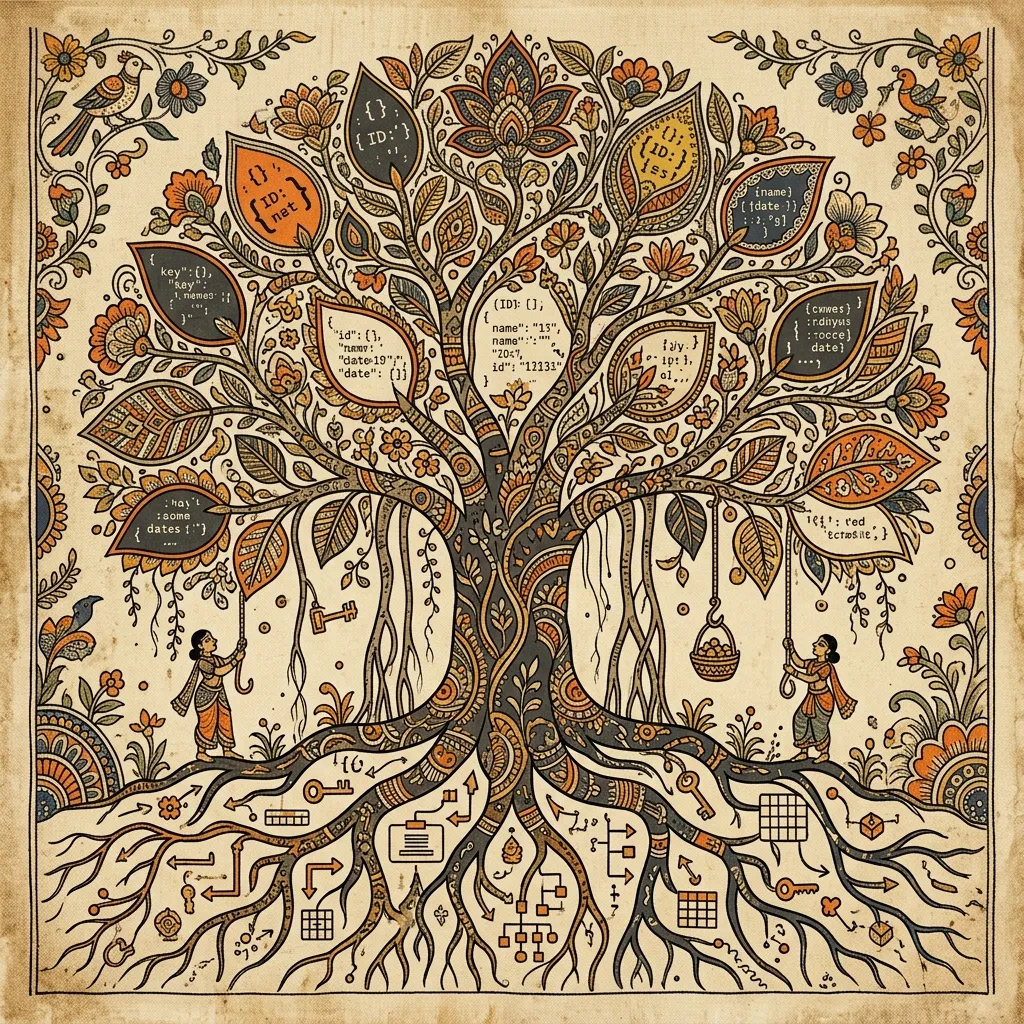
GIN Indexes
GIN (Generalized Inverted Index) is essential for fast JSONB queries.
SQL
-- Basic GIN index on entire JSONB column
CREATE INDEX idx_products_attributes ON products USING GIN (attributes);

-- GIN index with specific operators (more efficient)
CREATE INDEX idx_products_attributes_path
ON products USING GIN (attributes jsonb_path_ops);

-- Note: jsonb_path_ops only supports @> operator
-- Use when you only need containment queries
B-Tree Indexes on Expressions
SQL
-- Index specific JSONB field
CREATE INDEX idx_products_color
ON products ((attributes->>'color'));

-- Index numeric field (with cast)
CREATE INDEX idx_products_storage
ON products (((attributes->>'storage')::int));

-- Composite index
CREATE INDEX idx_products_color_storage
ON products ((attributes->>'color'), ((attributes->>'storage')::int));
Partial Indexes
SQL
-- Only index high-value products
CREATE INDEX idx_products_expensive
ON products (((attributes->>'price')::numeric))
WHERE (attributes->>'price')::numeric > 1000;

-- Only index products with warranty
CREATE INDEX idx_products_warranty
ON products ((attributes->>'warranty'))
WHERE attributes ? 'warranty';
When to Use Each Index Type
| Query Pattern | Index Type |
|---|---|
attributes @> '{"key": "value"}' | GIN (jsonb_ops) |
attributes->>'field' = 'value' | B-Tree on expression |
| Range queries on numeric | B-Tree on cast expression |
Array containment (@>) | GIN (jsonb_path_ops) |
Key existence (?) | GIN (jsonb_ops) |
Advanced Patterns
JSONB Path Queries (PostgreSQL 12+)
SQL
-- jsonb_path_query : Extract values using JSONPath
SELECT jsonb_path_query(attributes, '$.specs.cpu') FROM products;

-- jsonb_path_exists : Check if path exists
SELECT * FROM products
WHERE jsonb_path_exists(attributes, '$.specs.ram');

-- jsonb_path_match : Match with filter
SELECT * FROM products
WHERE jsonb_path_match(attributes, '$.storage > 200');

-- jsonb_path_query_array : Return as array
SELECT jsonb_path_query_array(attributes, '$.tags[*]') FROM articles;

-- jsonb_path_query_first : Return first match
SELECT jsonb_path_query_first(attributes, '$.specs.cpu') FROM products;
Unnesting Arrays
SQL
-- jsonb_array_elements : Expand array to rows
SELECT
    a.id,
    a.title,
    jsonb_array_elements_text(a.tags) as tag
FROM articles a;

-- Count tags
SELECT tag, COUNT(*) as count
FROM (
    SELECT jsonb_array_elements_text(tags) as tag
    FROM articles
) t
GROUP BY tag;

-- Find articles sharing tags
SELECT DISTINCT a1.title, a2.title
FROM articles a1
JOIN articles a2 ON a1.id < a2.id
WHERE a1.tags && a2.tags;
Dynamic Keys
SQL
-- Get all keys from JSONB objects
SELECT DISTINCT jsonb_object_keys(attributes) FROM products;

-- Get keys and values as rows
SELECT
    id,
    jsonb_object_keys(attributes) as key,
    attributes->jsonb_object_keys(attributes) as value
FROM products;

-- jsonb_each : Expand object to key-value pairs
SELECT
    id,
    key,
    value
FROM products, jsonb_each(attributes);

-- jsonb_each_text : Same but values as text
SELECT
    id,
    key,
    value
FROM products, jsonb_each_text(attributes);
Hybrid Schema Design

When to Use JSONB vs Regular Columns
| Use JSONB For | Use Regular Columns For |
|---|---|
| Variable schemas | Fixed, well-defined fields |
| User-defined fields | Primary keys, foreign keys |
| Embedded objects | Fields you query/sort often |
| Arrays of unknown length | Aggregations and joins |
| Rarely accessed metadata | Fields in WHERE clauses |
Best Practice Pattern
SQL
-- Hybrid design: relational core + JSONB flexible fields
CREATE TABLE users (
    id SERIAL PRIMARY KEY,
    email VARCHAR(255) NOT NULL UNIQUE,  -- Relational: always needed, indexed
    name VARCHAR(255) NOT NULL,          -- Relational: frequently queried
    created_at TIMESTAMP DEFAULT NOW(),  -- Relational: sorting, filtering

    -- JSONB for flexible, variable data
    profile JSONB DEFAULT '{}',
    preferences JSONB DEFAULT '{}',
    metadata JSONB DEFAULT '{}'
);

-- Index relational columns
CREATE INDEX idx_users_email ON users(email);
CREATE INDEX idx_users_created ON users(created_at);

-- Index frequently queried JSONB fields
CREATE INDEX idx_users_profile_country
ON users ((profile->>'country'))
WHERE profile ? 'country';

-- Insert example
INSERT INTO users (email, name, profile, preferences) VALUES
('alice@example.com', 'Alice',
 '{"country": "USA", "timezone": "EST", "bio": "Developer"}',
 '{"theme": "dark", "notifications": true, "language": "en"}');

-- Query relational + JSONB
SELECT * FROM users
WHERE email LIKE '%@example.com'
  AND profile->>'country' = 'USA'
  AND preferences @> '{"notifications": true}';
Performance Optimization
Query Analysis
SQL
-- Check query plan
EXPLAIN ANALYZE
SELECT * FROM products
WHERE attributes @> '{"color": "black"}';

-- Should show Index Scan using idx_products_attributes
-- If it shows Seq Scan, you need an index
Maintenance
SQL
-- Update statistics for JSONB queries
ANALYZE products;

-- Reindex if needed
REINDEX INDEX idx_products_attributes;

-- Check index usage
SELECT
    schemaname,
    tablename,
    indexname,
    idx_scan,
    idx_tup_read,
    idx_tup_fetch
FROM pg_stat_user_indexes
WHERE tablename = 'products';
Size Optimization
SQL
-- Check JSONB column size
SELECT
    pg_size_pretty(pg_column_size(attributes)) as column_size,
    pg_size_pretty(pg_column_size(attributes::text)) as text_size
FROM products
LIMIT 1;

-- Find large JSONB values
SELECT id, pg_column_size(attributes) as size
FROM products
ORDER BY size DESC
LIMIT 10;

-- Compress large JSONB (rarely needed)
UPDATE products
SET attributes = jsonb_strip_nulls(attributes);
Real-World Examples
E-commerce Product Catalog
SQL
CREATE TABLE products (
    id SERIAL PRIMARY KEY,
    sku VARCHAR(50) UNIQUE NOT NULL,
    name VARCHAR(255) NOT NULL,
    base_price DECIMAL(10,2) NOT NULL,

    -- JSONB for variant data
    variants JSONB,  -- [{"color": "red", "size": "M", "price": 29.99}, ...]
    attributes JSONB, -- {"material": "cotton", "weight": 0.5, "dimensions": {...}}

    categories INTEGER[], -- Array of category IDs
    tags JSONB -- ["summer", "sale", "new-arrival"]
);

-- Find products with specific variant
SELECT * FROM products
WHERE variants @> '[{"color": "red"}]';

-- Find products by attribute range
SELECT * FROM products
WHERE (attributes->>'weight')::decimal BETWEEN 0.1 AND 1.0;

-- Find sale items
SELECT * FROM products WHERE tags @> '["sale"]';
Activity Log
SQL
CREATE TABLE activity_log (
    id BIGSERIAL PRIMARY KEY,
    user_id INTEGER,
    action VARCHAR(50) NOT NULL,
    entity_type VARCHAR(50) NOT NULL,
    entity_id INTEGER,

    -- Flexible metadata
    details JSONB, -- varies by action type

    created_at TIMESTAMP DEFAULT NOW()
) PARTITION BY RANGE (created_at);

-- Queries by action type with different JSONB structures
SELECT * FROM activity_log
WHERE action = 'purchase'
  AND details @> '{"amount": 100}';

SELECT * FROM activity_log
WHERE action = 'login'
  AND details->>'ip' = '192.168.1.1';
Feature Flags
SQL
CREATE TABLE feature_flags (
    id SERIAL PRIMARY KEY,
    key VARCHAR(100) UNIQUE NOT NULL,
    enabled BOOLEAN DEFAULT false,

    -- Complex targeting rules
    rules JSONB DEFAULT '{}'
    -- {
    --   "percentage": 10,
    --   "users": ["user1", "user2"],
    --   "groups": ["beta", "enterprise"],
    --   "attributes": {"country": ["US", "CA"]}
    -- }
);

-- Check if feature enabled for user
SELECT enabled
FROM feature_flags
WHERE key = 'new-dashboard'
  AND (
    NOT (rules ? 'percentage')  -- No percentage rule
    OR (rules->>'percentage')::int > (random() * 100)::int
  )
  AND (
    NOT (rules ? 'users')  -- No user rule
    OR rules->'users' @> '["user123"]'
  );
Migration from JSON
SQL
-- Convert JSON to JSONB
ALTER TABLE products
ALTER COLUMN attributes TYPE JSONB
USING attributes::JSONB;

-- Create indexes after conversion
CREATE INDEX idx_products_attributes ON products USING GIN (attributes);
Common Pitfalls
1. Missing Indexes
SQL
-- SLOW: Full table scan
SELECT * FROM products WHERE attributes->>'color' = 'red';

-- FAST: Index scan
-- (after creating: CREATE INDEX ON products ((attributes->>'color')))
2. Wrong Data Types
SQL
-- WRONG: String comparison on numbers
SELECT * FROM products WHERE attributes->>'storage' > '256';
-- Compares as strings: '1000' < '256'

-- RIGHT: Cast to proper type
SELECT * FROM products WHERE (attributes->>'storage')::int > 256;
3. Deep Hierarchies
SQL
-- Avoid deeply structured trees
-- Hard to query and index
{
  "level1": {
    "level2": {
      "level3": {
        "value": "hard to reach"
      }
    }
  }
}

-- Prefer flatter structures
{
  "category": "value",
  "subcategory": "value"
}
Summary
- JSONB over JSON — Binary storage, indexing, better performance
- Operators —
->(JSON),->>(text),@>(containment),?(existence) - Indexing — GIN for containment, B-Tree for specific fields
- Hybrid design — Relational columns for fixed data, JSONB for flexibility
- Path queries — Use
jsonb_path_query()for complex navigation - Performance — Always analyze queries, add appropriate indexes
JSONB bridges the gap between structured SQL and flexible NoSQL. Use it wisely.
What to Read Next
- PostgreSQL Cheat Sheet — Complete SQL reference
- PostgreSQL with Docker — Local development setup
- SQL Cheat Sheet — Standard SQL syntax