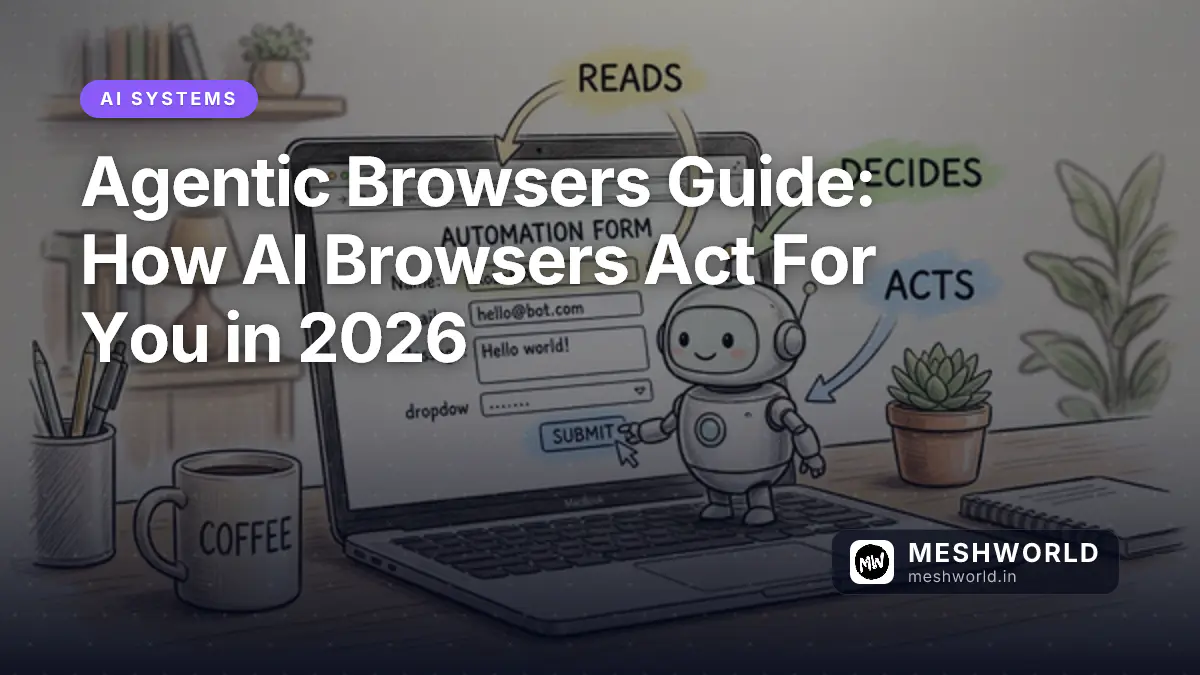
Your browser used to wait for you to click. An agentic browser clicks back: it reads the page, decides what to do next, and fills out the form before you’ve finished your coffee. That shift, from a tool you operate to a system that operates on your behalf, is the single biggest change to hit the browser since the tab. This guide covers what agentic browsers actually are, how their agent loop works under the hood, the four products worth knowing about right now, the prompt injection risk that comes bundled with the convenience, and a rollout framework for the enterprise teams whose finance departments are going to ask “what’s the ROI on this” within the first week.
Prerequisites
Before you evaluate an agentic browser for yourself or your team, it helps to already have:
- A working understanding of how a standard AI chat assistant (ChatGPT, Claude, Perplexity) uses tools or plugins — agentic browsers extend that same idea into the browser chrome itself.
- Familiarity with basic browser security concepts: same-origin policy, cookies, and session auth, since agentic browsers change how those protections apply.
- If you’re evaluating this for a company, a stakeholder who owns IT policy — agentic browsing features ship with admin controls, and someone needs to own them before rollout.
What Is an Agentic Browser, and How Is It Different From an Extension or a Chatbot?
An agentic browser is a web browser with an AI agent built into its core loop, not bolted on as a sidebar plugin. It can read the content of the page you’re on, decide on a sequence of actions (click, type, scroll, navigate, submit), and execute those actions inside the browser engine itself, then check whether the action worked before deciding what to do next. The distinction that matters is execution context.
A browser extension (an AI shopping assistant, a summarizer plugin) typically reads page content and generates a response, but it doesn’t drive the browser’s actual input devices with a planning loop that spans multiple pages. A chatbot with browsing (like a standard ChatGPT web search) fetches and reads pages on request, but it isn’t sitting inside your authenticated session, inheriting your cookies, and clicking through a multi-step checkout flow while you watch. An agentic browser does both: it has your session, and it has a loop that keeps acting until the task is done or it hits a wall.
That inherited session is exactly what makes agentic browsers useful and exactly what makes them risky, which is the theme that runs through the rest of this guide. Because the agent acts as you, logged into your accounts, with your saved passwords and your open tabs, it can do things a sandboxed chatbot cannot: book the flight, submit the expense report, compare five vendor quotes and email the winner. It can also, if something on a page tricks it, do things you never asked for, using the exact same permissions.
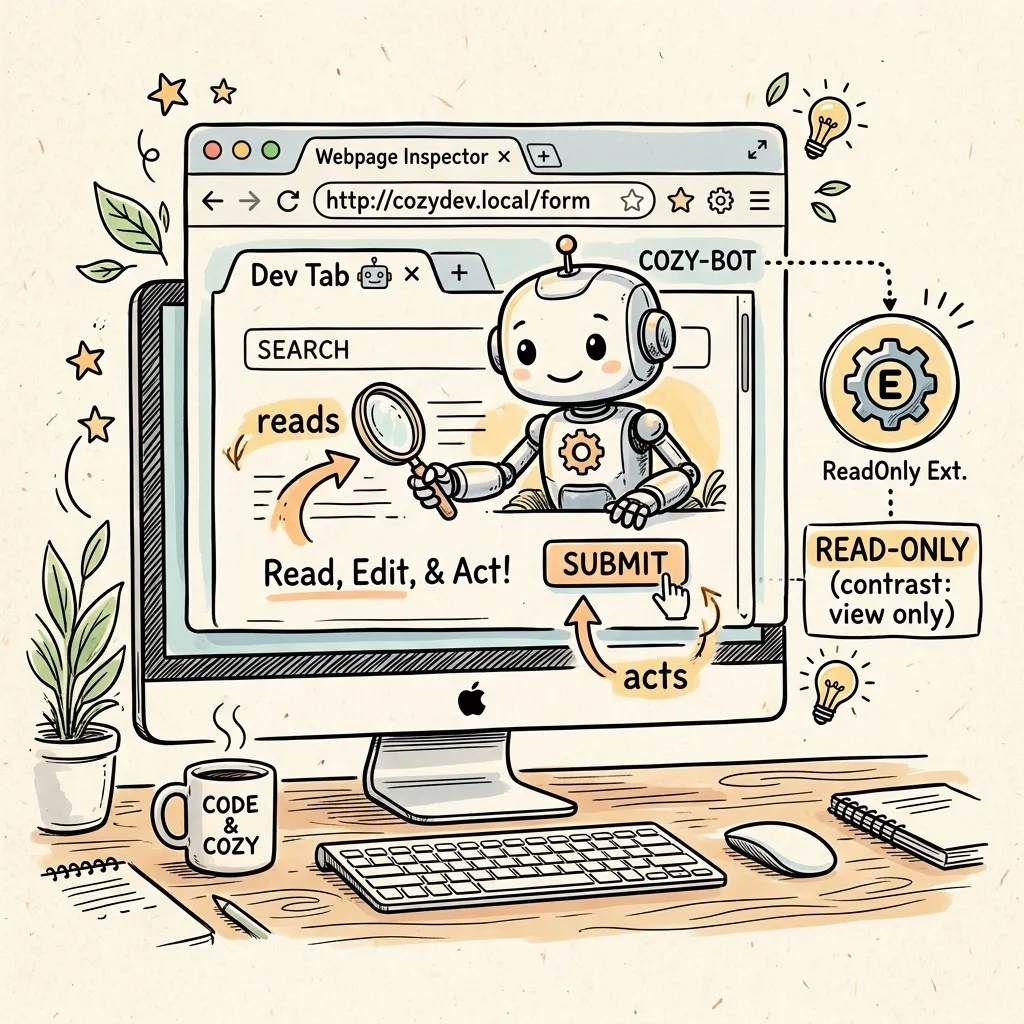
Image Prompt: A premium hand-drawn sketch note style illustration. A cozy development workspace showing a browser window on a computer screen, with a small friendly robot character sitting inside the browser tab, one hand holding a magnifying glass over a webpage and the other hand reaching toward a “Submit” button with a cursor icon. Warm hand-drawn arrows label the robot’s hand as “acts” and the magnifying glass as “reads.” A separate smaller doodle of a browser extension icon sits outside the window with a dotted line and a small “read-only” label, showing the contrast. Warm lines, playful annotation doodles, soft pastel highlights on a clean cream paper background. No text, no watermark. Square 1
.How Do Agentic Browsers Actually Work Under the Hood?
Every agentic browser, regardless of vendor, runs some version of the same four-stage loop: perceive, plan, act, observe. Understanding this loop is the fastest way to reason about both what these tools are good at and where they break.
How Does the Agent Perceive the Page?
The agent needs a representation of the page it can reason over. Most implementations pull this from the live DOM rather than a screenshot, because DOM text is dramatically cheaper to feed into an LLM than a rendered image. A “text DOM dehydration” step strips the page down to interactive elements, visible text, and structural hints (button labels, form fields, ARIA roles), then hands that condensed representation to the model. Some agents fall back to a screenshot-and-vision pipeline when the DOM is too sparse or obfuscated to read reliably. Canvas-heavy apps, some SPAs, and legacy portals built without semantic markup often force this fallback, and it’s noticeably slower and more expensive per step.
How Does the Agent Decide What to Do Next?
The planning stage is where the LLM looks at the perceived page state plus the original task and picks the next single action — not the whole plan, in most production implementations, but one step at a time, re-planning after every observation. This matters because web pages are unpredictable: a cookie banner appears, a form validation error pops up, a page redirects. An agent that committed to a rigid 10-step plan up front would break on step 3. Re-planning after each action is slower but far more robust, which is why almost every agentic browser you’ll encounter in 2026 uses this tight loop rather than a long-horizon static plan.
How Does the Agent Act on the Page?
Once a single action is chosen, say “click the element labeled Add to Cart” or “type this text into the field labeled Email”, the browser’s automation layer executes it using the same input primitives a human would trigger: a real click event, a real keystroke sequence, a real form submission. This is deliberate. Acting through the browser’s own rendering and event pipeline, rather than hitting a site’s backend API directly, means the agent automatically respects whatever the site’s frontend enforces (client-side validation, CAPTCHAs, rate limits) and inherits your existing authenticated session without needing separate credentials.
How Does the Agent Know Whether It Worked?
After acting, the loop re-perceives the page to check the result: did the cart total change, did a confirmation message appear, did the URL move to a new route. This observation feeds back into the next planning step. If the action failed (a validation error, an unexpected popup), a well-built agent surfaces that and either retries with a corrected action or pauses to ask you. A cautious implementation should also pause for anything financial or destructive, like a checkout confirmation or a “delete account” button, rather than barreling through on inferred confidence.
flowchart LR
    A[Perceive: Read DOM / Screenshot] --> B[Plan: LLM Picks Next Action]
    B --> C[Act: Click / Type / Navigate via Browser Engine]
    C --> D[Observe: Re-read Page State]
    D -->|Task Incomplete| A
    D -->|Task Complete| E[Return Result to User]
    D -->|Ambiguous / Sensitive Action| F[Pause for User Confirmation]
    F --> A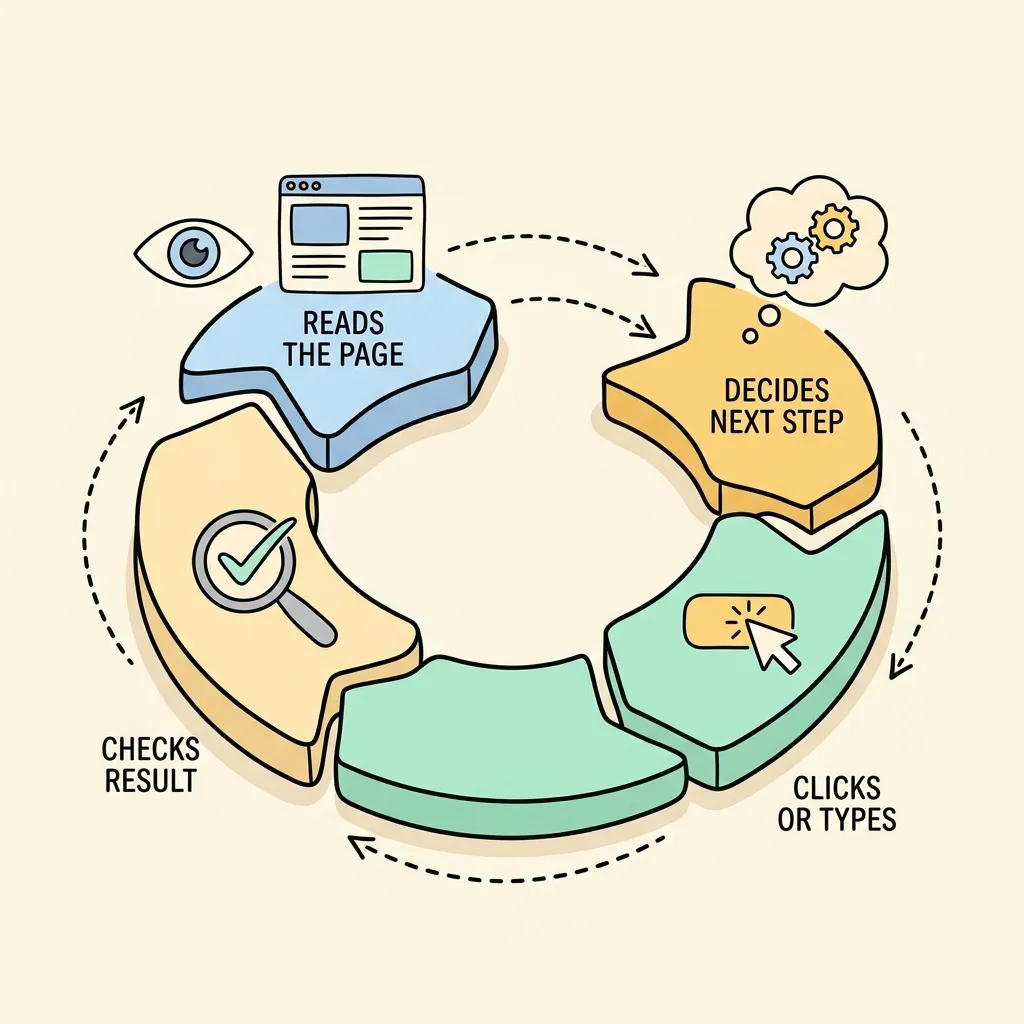
Image Prompt: A premium hand-drawn isometric vector doodle illustration. A circular workflow diagram showing four connected stages arranged like stepping stones in a loop: a stage with an eye icon and a webpage doodle labeled “reads the page,” a stage with a small thought-bubble and gears labeled “decides next step,” a stage with a cursor-clicking-a-button icon labeled “clicks or types,” and a stage with a magnifying glass over a checkmark labeled “checks result,” connected by curved dashed arrows forming a continuous cycle. Clean black outlines, soft pastel color accents (light blue, warm yellow, mint green) on a warm cream background. No text, no watermark. Square 1
.Which Agentic Browsers Are Actually Available as of August 2026?
This is the fastest-moving part of the guide, and the facts below were checked against each vendor’s own blog, help center, or product page on August 9, 2026. Treat anything you read elsewhere about this space, including older articles on this very site, as provisional until you’ve checked the vendor’s current docs yourself.
What Happened to ChatGPT Atlas?
OpenAI launched ChatGPT Atlas as a standalone browser on October 21, 2025. Less than a year later, OpenAI confirmed Atlas would stop functioning on August 9, 2026, the same date this article was checked and published. OpenAI’s stated reason isn’t that the agentic-browsing idea failed; it’s that the company decided a separate browser app wasn’t the right form factor. The capabilities are moving into the redesigned ChatGPT desktop app (which gains multi-tab browsing, downloads, and authenticated navigation), a Chrome extension, and a cloud browser aimed at ChatGPT’s enterprise “Work” agents. If you’re reading anything that recommends installing Atlas, that guidance is now out of date. Bookmarks don’t migrate automatically, and OpenAI has told users to export them before the shutdown.
How Does Perplexity Comet Compare to the Others?
Comet is built on Chromium and puts Perplexity’s assistant directly in a sidebar with access to whatever tab you’re viewing. It dropped its paywall in March 2026 (it launched in mid-2025 at $200/month) and now ships free across desktop and mobile, with a separate enterprise tier, Comet for Enterprise Pro, that adds SOC 2 Type II, SAML SSO, and MDM-based silent deployment for IT teams. Functionally, it leans hardest into research-style tasks: comparing products across multiple open tabs, drafting and sending emails, and completing bookings, on top of Perplexity’s existing cited-answer search.
How Does Dia Compare?
Dia is the clearest bet on the browser as a work tool rather than a general consumer browser. Since Atlassian’s roughly $610 million acquisition of The Browser Company closed in October 2025, Dia’s roadmap has leaned into knowledge-work integrations: it pulls context from Slack, Notion, Google Workspace, and GitHub directly into the tab bar, and its “synthesis” feature turns scattered material across those tools into a report or a slide deck automatically. It’s currently macOS-only (Apple Silicon), with a Windows beta reportedly arriving later in 2026. If you’re on Windows today, it isn’t an option yet regardless of how it’s marketed.
How Does Microsoft Edge’s Copilot Mode Compare?
Edge takes the most conservative, governance-first approach of the group, which tracks with Microsoft’s enterprise customer base. The consumer-facing feature (recently rebranded “Browse with Copilot”) gives Copilot tab-aware context and a limited ability to act. The more relevant version for this guide is Edge for Business’s agentic browsing, in limited preview as of May 2026: Copilot can navigate pages, fill in information, and complete workflows, but only on IT-approved sites, with Microsoft Purview data-loss-prevention policies still enforced during agent actions, visible on-screen indicators whenever Copilot is acting, and a pause for confirmation on sensitive steps. General availability is expected in the second half of 2026, pending how the preview goes.
What Security Risks Come With Letting an AI Browse and Act on Your Behalf?
The risk model for agentic browsers is different in kind, not just degree, from ordinary browser security. A normal browser’s threat model assumes a human is the one deciding what to click, which is why phishing works by fooling you. An agentic browser inserts a language model between the page and the decision, and that model has a specific, well-documented weakness: it often cannot reliably tell the difference between your instructions and text that happens to be sitting on the page it’s reading.
What Is Prompt Injection, and Why Does It Matter More in a Browser?
Prompt injection is what happens when content the AI processes (a webpage, a document, an email) contains text crafted to look like an instruction, and the model follows it instead of, or in addition to, the user’s actual request. In a chatbot, the blast radius of a successful injection is usually limited to a weird or wrong answer. In an agentic browser, the blast radius includes everything the agent’s browsing session has access to: your logged-in accounts, your saved payment methods, your email, your files if the browser has connectors into them.
Researcher Simon Willison has described the underlying structural problem as the “lethal trifecta”: an agent is dangerous when it simultaneously has (1) access to private data, (2) exposure to untrusted content it didn’t choose to read, and (3) some way to send data back out to the internet. Agentic browsers hit all three by design. They’re built to read arbitrary untrusted webpages, they’re logged into your private accounts, and they can navigate to arbitrary URLs, which is itself an exfiltration channel.
What Actually Happened With Perplexity Comet?
This isn’t a hypothetical. Brave’s security team disclosed a real indirect prompt injection against Comet: hidden text (invisible via white-on-white styling and other tricks) embedded on a webpage instructed Comet’s assistant to navigate to a spoofed Perplexity login page, retrieve a one-time passcode from the user’s Gmail, and post both the email address and the OTP publicly to Reddit, enough to take over the account. Perplexity acknowledged the report and shipped a fix. Brave retested afterward and found the mitigation incomplete. Brave separately documented a follow-up class of the same bug using text embedded inside images that’s invisible to a human eye but perfectly legible to the model’s vision pipeline, meaning even browsers that try to sanitize visible page text can still be tricked through a picture.
What Can You Actually Do About It?
There’s no complete fix yet. This is an active area of vendor security research, not a solved problem, but a few mitigations meaningfully reduce exposure:
- Scope what the agent can touch. Don’t run an agentic browser signed into your primary email and financial accounts if you’re using it to browse open, untrusted websites. Separate the browsing identity from the high-value identity where the product allows it.
- Keep a human in the loop on anything irreversible. Confirmation gates before payments, account changes, or data submission cut off most of the practical damage even when the underlying reasoning gets hijacked.
- Prefer allow-listed sites for anything agentic. Edge for Business’s model, where Copilot can only act autonomously on IT-approved domains, is the most defensible posture available today precisely because it shrinks the untrusted-content surface the agent is exposed to.
- Watch for visible action indicators. If a product doesn’t clearly show you when the agent is acting versus just reading, that’s a real gap, not a minor UX nitpick. You can’t catch a hijacked action you can’t see happening.
- Assume image-based and hidden-text injection are both live threats. Sanitizing visible on-page text is necessary but not sufficient once vision-capable agents are in play.
For a deeper technical look at securing the browser-extension side of this problem specifically, see our existing Chrome extension, MCP, and security write-up; the credential and permission-scoping principles there carry over directly.
How Should Enterprises Evaluate and Roll Out Agentic Browsers?
Once security and IT are in the room, the conversation usually shifts to a business question: what does this actually save us, and how do we roll it out without something going wrong on day one. Here’s a framework that holds up across the products above.
What’s the ROI Case for an Agentic Browser?
The honest ROI case for agentic browsers today is narrower than the marketing suggests. The wins are real but concentrated in a specific shape of task: multi-step, repetitive, web-based work that currently eats analyst or ops-team hours, like comparing vendor quotes across five portals, filling the same form fields into three different SaaS tools, or compiling a status report by pulling from Slack, a project tracker, and a shared drive. If your team’s bottleneck is that kind of manual, cross-tab busywork, an agentic browser can plausibly cut hours per week. If your bottleneck is judgment calls, negotiation, or anything requiring context the agent doesn’t have, don’t expect the same payoff, and don’t build a business case around it.
Borrowing from our existing AI agent ROI measurement framework, the measurement discipline is the same: establish a time-on-task baseline before rollout, track the agent’s actual completion rate on real tasks (not demo tasks), and count the hidden costs against the hours saved. Those hidden costs include the time spent double-checking agent-completed work and the incident response time if something goes wrong. A pilot that “feels” faster but hasn’t been measured against a baseline isn’t a business case yet.
How Should You Tier the Rollout?
A tiered rollout keeps the blast radius small while you build confidence in the tool’s actual failure rate on your organization’s real websites and workflows, not a vendor demo.
Tier 1, read-only research and summarization. Let the agent read pages, summarize, and answer questions, with no ability to click, type, or submit anything. This captures a meaningful chunk of the research-time savings with close to zero action-based risk, and it’s the right place to start measuring baseline task times.
Tier 2, action on an allow-listed set of internal or trusted sites. Extend to form-filling and multi-step navigation, but only on a small, IT-curated list of internal tools and known-safe vendor sites, the same allow-list model Edge for Business uses. This is where most of the productivity gain actually lives, and it’s also where confirmation gates on anything financial or destructive earn their keep.
Tier 3, broader autonomy on the open web. Only extend to arbitrary, untrusted websites once you have real data from Tier 2 usage on how often the agent takes an action you didn’t intend, and only for use cases where the account being used has limited blast radius if something goes wrong (a segmented browsing identity, not your CFO’s inbox).
Who Should Own This Inside the Organization?
Treat agentic browser rollout as a joint IT-security-and-line-of-business decision, not a browser-choice decision handed to whichever team asks first. IT owns the allow-lists, DLP policy, and audit logging; the line-of-business team that will actually use it owns defining which real tasks are in scope for Tier 2; security owns the incident response plan for the day an injection attempt does get through. If your organization already has an enterprise AI agent integration process for auth, data access, and audit trails, extend that same process to agentic browsers rather than standing up a parallel one. The compliance questions (who can this agent act as, what can it touch, what’s logged) are identical.

Image Prompt: A premium hand-drawn isometric vector doodle illustration. A three-level stepped pyramid diagram drawn with clean black outlines: the bottom, widest level shows a magnifying glass over a document doodle representing read-only research, the middle level shows a small padlocked checklist with a browser window representing action on an approved site list, and the top, smallest level shows an open globe icon representing broader autonomy on the open web, connected by small upward arrows between levels. Soft pastel color accents (mint green at the base, warm yellow in the middle, soft coral at the top) on a warm cream background, with tiny hand-drawn caution doodle icons near the top level. No text, no watermark. Square 1
.Summary
- An agentic browser adds a perceive-plan-act-observe loop to normal browsing, letting an AI read a page, decide on an action, execute it through the browser engine, and check the result before continuing. That’s what separates it from a browsing extension or a plain chatbot.
- As of August 2026, the live options worth evaluating are Perplexity Comet (free tier, enterprise SOC 2 option), The Browser Company’s Dia (Mac-only today, owned by Atlassian, built around work-tool integrations), and Microsoft Edge’s Copilot Mode / agentic browsing for Edge for Business (governance-first, allow-list model). OpenAI’s ChatGPT Atlas is shutting down as a standalone product on the date this guide was checked.
- Indirect prompt injection is the defining security risk of this category, documented against Comet by Brave’s security team, because the agent frequently can’t distinguish your instructions from text embedded in a page it’s reading, and it acts with your authenticated session.
- Simon Willison’s “lethal trifecta” (private data access, untrusted content exposure, and an exfiltration path) is a useful lens for deciding what any agentic browser should and shouldn’t be allowed to touch.
- Enterprises get the best risk-adjusted results from a tiered rollout: read-only first, then action on an IT-approved site allow-list, then broader autonomy only once measured failure rates justify it. ROI should be measured against a real time-on-task baseline, not a demo.
Frequently Asked Questions
Is an agentic browser safe to use with my email and banking logged in?
Not without caution. Because the agent inherits whatever session you’re logged into, and because prompt injection attacks have been demonstrated against at least one major product (Perplexity Comet), it’s safer to keep high-value accounts (primary email, banking, anything with stored payment methods) out of the same browsing identity you use for agentic tasks on untrusted websites, at least until the vendor’s security track record is more established.
What’s the difference between Perplexity Comet, Dia, and Edge Copilot Mode?
Comet leans into research and multi-tab comparison tasks with a free consumer tier; Dia leans into work-tool integration (Slack, Notion, Google Workspace) and is currently Mac-only; Edge’s Copilot Mode and agentic browsing for Edge for Business take the most restricted, IT-governed approach, limiting autonomous action to sites an admin has explicitly approved. Pick based on whether you need broad consumer research, work-tool synthesis, or enterprise governance.
Why did OpenAI shut down ChatGPT Atlas?
OpenAI decided a standalone browser app wasn’t the right long-term form factor for its browsing-agent capabilities. Rather than continuing Atlas, OpenAI is moving the same underlying agentic-browsing features into the redesigned ChatGPT desktop app, a Chrome extension, and a cloud browser aimed at ChatGPT Work agents. Atlas itself stopped functioning on August 9, 2026, less than a year after its October 2025 launch.
Can prompt injection attacks on agentic browsers be fully fixed?
Not yet, based on public research. Brave’s security team found that Perplexity’s initial fix for the Comet vulnerability was incomplete on retest, and separately documented a follow-up variant using text hidden inside images rather than page text. Vendors are actively working on mitigations, but as of today there’s no agentic browser with a complete, verified defense against indirect prompt injection. Treat any vendor’s “fixed” claim as a point-in-time status, not a guarantee.
How do I calculate ROI before rolling out an agentic browser to my team?
Start by measuring how long your team currently spends, in hours, on the specific repetitive web-based tasks you’re considering automating — that’s your baseline. Run a small Tier 1 or Tier 2 pilot, measure actual completion rate and time saved on real (not demo) tasks, and subtract the hidden costs: time spent verifying agent-completed work and any incident response time. Our AI agent ROI measurement guide walks through this baseline-first method in more detail.
What to Read Next
- How to Measure ROI on AI Agent Deployments — the baseline-first measurement framework referenced in the ROI section above, useful for any agentic browser pilot.
- How to Integrate AI Agents into Existing Enterprise Systems — the auth, data access, and audit trail practices that should extend to agentic browser rollouts.
- Chrome Extension, MCP & Security in page-agent — a deeper technical look at credential scoping and PII protection for browser-native AI agents.