TL;DR – What is RTK?
RTK (Rust Token Killer) is a zero-dependency, single-binary CLI proxy that compresses terminal output before it reaches your AI coding agent, slashing token consumption by 60–90%. It transparently rewrites Bash commands in tools like Claude Code so you stop burning credits on boilerplate logs, stack traces, and progress bars.
Official site & repo: https://www.rtk-ai.app/ | https://github.com/rtk-ai/rtk
Why Do Raw Terminal Commands Cost So Much in Claude Code?
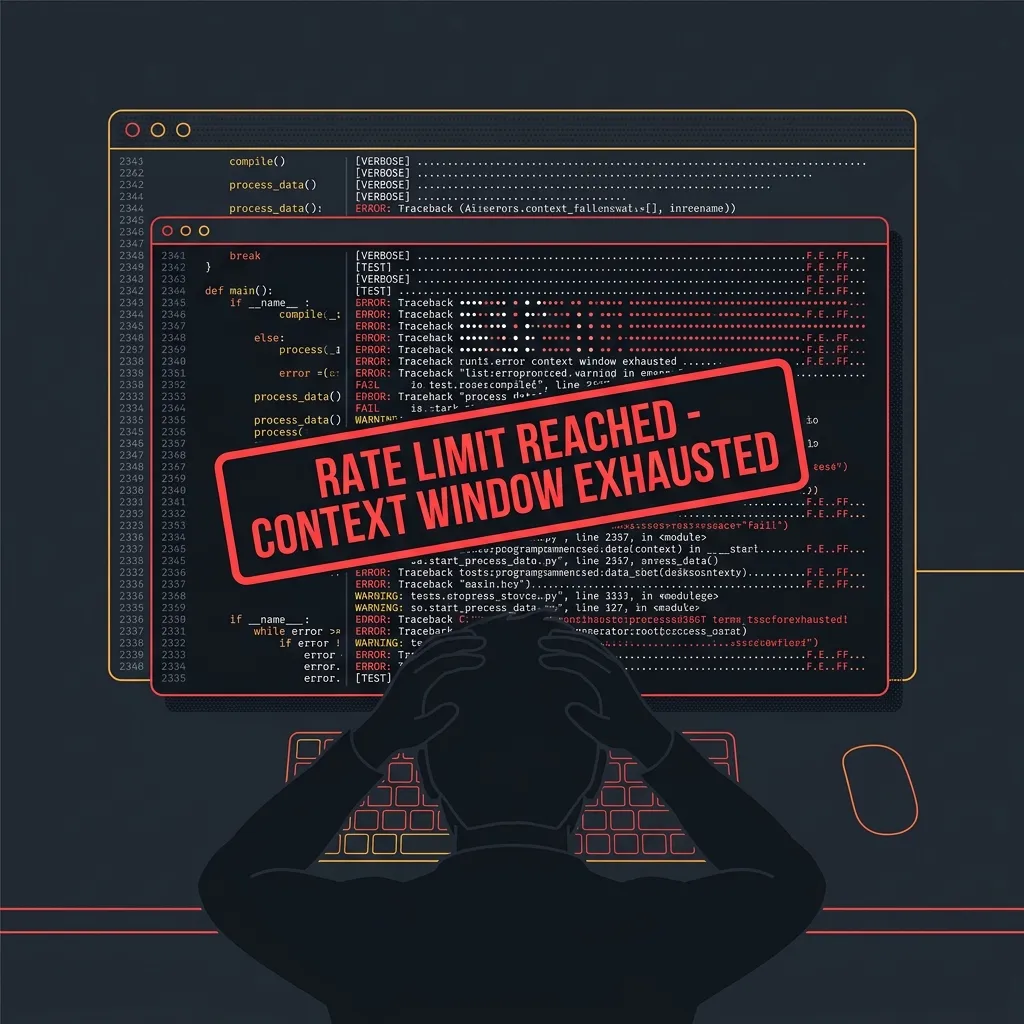
A developer asks the AI agent to run npm test and find the failing spec. The agent runs it. You get 2,400 lines of install logs, deprecation warnings, and passing dots, with the actual error buried at line 2,399. The context window eats all of it. You hit a rate limit, the agent forgets what it was doing, and your API bill spikes.
This is context window pollution—the silent killer of AI coding budgets. Terminal tools were designed for human eyes, not for LLM tokenizers. Every byte of noise costs money and eats context. RTK fixes this.
How Does RTK Intercept and Compress Output
RTK is a single Rust binary. No Python runtime, no Node, not even a single crate dependency beyond the standard library. It hooks into your agent’s tool-use lifecycle via a global PreToolUse hook (set with rtk init -g). When the agent makes a Bash tool call, RTK intercepts it, compresses the output, and feeds a clean version back to the LLM. The overhead is under 10 milliseconds.
flowchart LR
    A["Developer AI Agent<br/>(Claude Code)"] -->|Bash Tool Call| B[RTK Interceptor Engine]
    B -->|Applies| C{4 Compression Pillars}
    C -->|1. Smart Filtering| C1["Removes progress bars,<br/>ANSI escapes, empty lines"]
    C -->|2. Grouping| C2["Collapses repeated lines,<br/>counts occurrences"]
    C -->|3. Truncation| C3["Caps output to<br/>meaningful head/tail"]
    C -->|4. Deduplication| C4["Suppresses identical<br/>stack trace frames"]
    C1 & C2 & C3 & C4 --> D[Optimized Token Output]
    D --> E[LLM Context Window]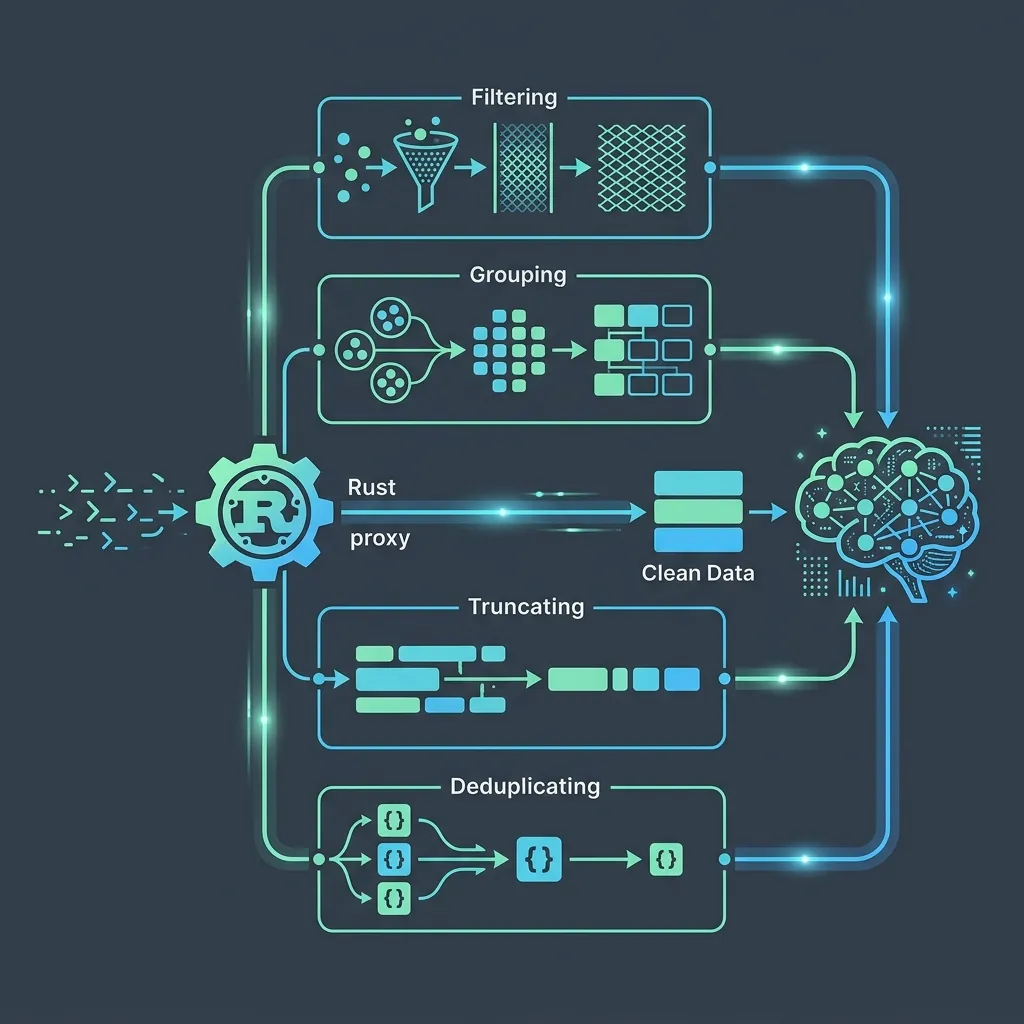
RTK’s compression isn’t a naive head -n 20; it understands the semantics of over 100 common developer commands. For npm install, it filters out the animated spinner, replaces the tree of installed packages with a one-liner summary, and highlights errors. For cargo test, it keeps failure details but collapses the hundreds of green “ok” lines into a single count. This is smart filtering + grouping + truncation + deduplication acting together to achieve token reductions of 60–90%.
What is RTK and How Does It Work Under the Hood?
At its core, RTK is a CLI proxy for LLMs. You install it, initialize it once with:
rtk init -gThis injects a lightweight PreToolUse hook into your agent’s configuration. From that moment on, every Bash tool command is automatically prefixed or rewritten to pass through RTK. The hook does not interfere with native tools—it only acts on Bash tool calls (more on this crucial caveat later).
RTK then processes output using four well-defined strategies:
- Smart Filtering – Removes ANSI escape codes, progress spinners, carriage-return overwrites, and empty lines. What’s left is the “signal,” not the terminal makeup.
- Grouping – Sequences of identical lines (think repeated “PASS” or identical log entries) are collapsed into a summary like
[150 identical lines: "PASS"]. - Truncation – Output is intelligently capped. RTK keeps the first meaningful lines, the last lines (where errors appear), and a snippet of the middle, with a clear token count saved.
- Deduplication – Stack traces often contain the same frame repeated dozens of times. RTK deduplicates them, preserving only unique frames and indicating the repetition count.
The result is output that retains all actionable debugging information while discarding up to 90% of the original token footprint.
What Does the Token Savings Look Like in Action?
A developer asks the agent to run npm install --verbose inside a large monorepo.
Without RTK (raw output, 1,843 tokens):
npm verb cli /usr/local/bin/node /usr/local/bin/npm
npm info using npm@10.2.0
npm info using node@v20.11.0
npm verb title npm install
npm verb argv "install" "--verbose" "--loglevel" "verbose"
...
(silent progress bar, 50 lines of registry fetch logs)
...
npm http fetch GET 200 https://registry.npmjs.org/react 1234ms (cache miss)
npm http fetch GET 200 https://registry.npmjs.org/lodash 23ms (cache hit)
... (repeated similar lines for 40 packages)
...
added 1,247 packages in 34s
With RTK (compressed output, ~280 tokens):
npm install completed. 1247 packages installed in 34s.
Warnings: 2 deprecation notices (lodash.template, request).
Errors: none.
Token savings: 85% (1,563 tokens saved)
Before-and-After Comparison Table (SEO & AI-extractable)
| Metric | Raw Output (No RTK) | With RTK | Token Saving |
|---|---|---|---|
| Total tokens | 1,843 | 280 | 85% |
| Meaningful error lines | 2 (buried in noise) | 2 (highlighted upfront) | – |
| Progress/ANSI noise | 45% of output | 0% | – |
| Repeated log lines | 26 identical fetch lines | Collapsed to 1 summary | – |
| Agent context consumed | Significant | Minimal | – |
This isn’t just about saving money; it’s about making the agent smarter. With less noise, the LLM can focus on the actual problem and retain more conversation history.
Pros & Cons: Why RTK Wins (and Where You Need to Pay Attention)
✅ Benefits – The Undeniable Upsides
- Massive cost reduction – 60–90% fewer tokens per tool call directly lower your API bill for Claude, GPT, or any LLM-based terminal agent.
- Higher-quality AI interactions – Clean outputs reduce context pollution, resulting in more accurate diagnoses and fewer looped failures.
- Zero performance overhead – Sub-10ms processing per command, thanks to Rust’s speed and the zero-dependency architecture.
- Transparent integration – The global hook (
rtk init -g) silently rewrites Bash commands; you don’t change your workflow. - Locally tracked savings – Run
rtk gainanytime to see exactly how many tokens and dollars RTK has saved you across sessions. - Fail-safe tee mode – When a command fails, RTK automatically writes the full raw output to
~/.local/share/rtk/tee/. You lose nothing; you can inspect the entire log if the compressed summary isn’t enough. This is critical for debugging flaky tests or unexpected errors where the agent needs every detail.
⚠️ Caveats & Technical Limitations (Mandatory Factual Disclosures)
- Hook only intercepts Bash tool calls – Claude Code’s native built-in tools (
Read,Grep,Glob,Edit, etc.) completely bypass the RTK hook. If your agent usesGrepto search files, RTK will not compress that output. To apply RTK’s compression, you must fall back to the terminal equivalent (rg,grep), or explicitly prefix withrtk readorrtk grep. This is a deliberate design choice—native tools are not shell commands, so the hook can’t touch them. - Installation collision on crates.io – The name “rtk” on crates.io belongs to an unrelated library called “Rust Type Kit.” Do not run
cargo install rtkfrom the default registry. Use Homebrew (brew install rtk) or install directly from the GitHub source:This ensures you get the token killer, not a random type kit.BASHcargo install --git https://github.com/rtk-ai/rtk.git rtk readandrtk grepare fallback commands – They exist precisely to let you manually compress outputs that the hook can’t automatically intercept (like when you deliberately want to pipe a native tool’s result through RTK). They are not a substitute for the hook but a thoughtful escape hatch.- Compression is smart but not psychic – RTK works on 100+ known commands; for unrecognized tools, it applies generic filtering (ANSI stripping, empty line removal). It still helps, but the 90% figure applies best to supported commands (
npm,cargo,docker,git,go test,jest, etc.).
How Do You Track Real Token Savings Over Time?
After a week of heavy agentic coding, open a terminal and type:
rtk gainYou’ll see something like this:
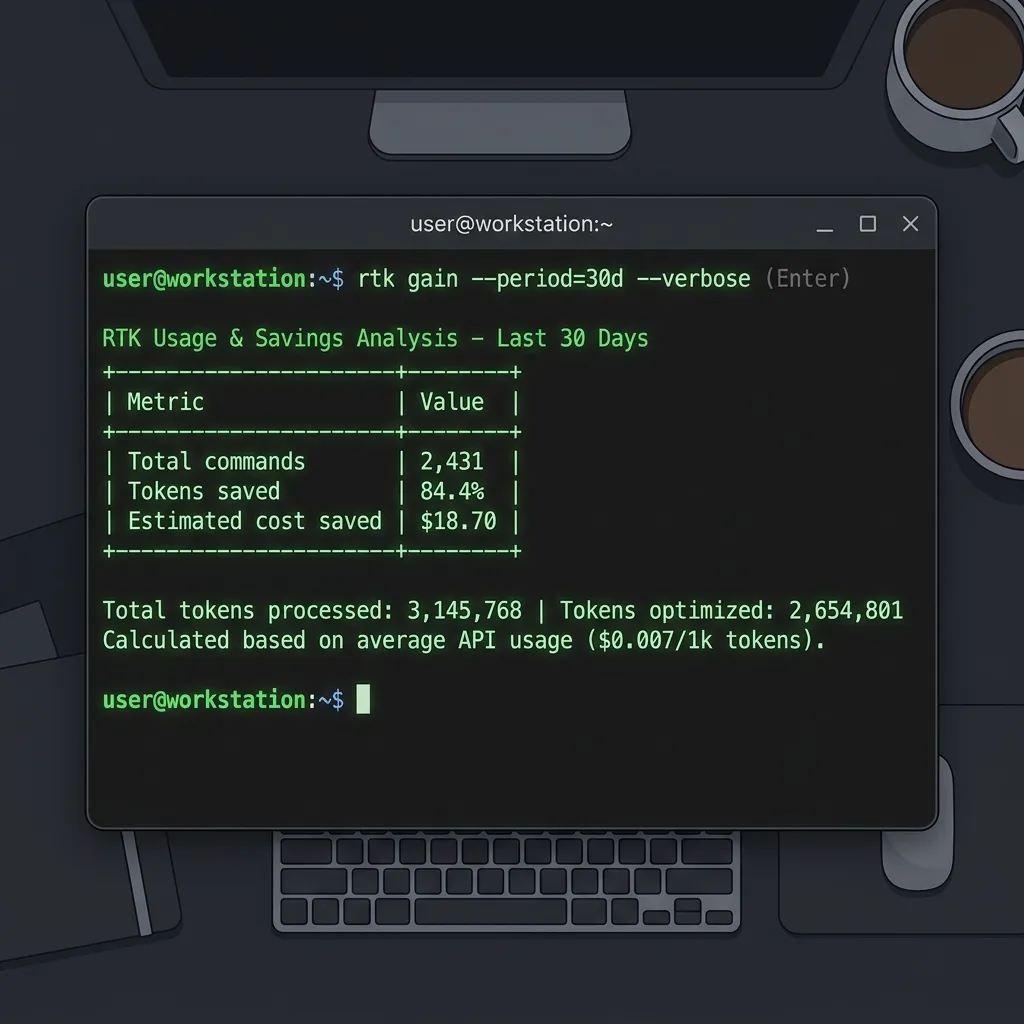
This tangible feedback loop keeps you addicted to optimizing your token hygiene. It’s a feature that turns token waste into a quantified loss you can actively defeat.
You get a readout of your total tokens saved and cost reduction. It turns token waste into a number you can actually track.
Frequently Asked Questions
How does RTK reduce Claude Code costs?
RTK intercepts Bash tool calls and compresses the terminal output using smart filtering, grouping, truncation, and deduplication. By reducing the token footprint of each command’s output by 60–90%, it directly lowers the number of input tokens sent to the LLM, which reduces per-request API costs. Use the rtk gain command to track cumulative savings. Source: https://www.rtk-ai.app/
Does RTK intercept native tool calls like Read or Grep in Claude Code?
No. The automatic global hook (rtk init -g) only intercepts Bash tool calls. Native tools (Read, Grep, Glob, Edit) run directly without RTK. To compress their output, you must either use terminal equivalents (e.g., cat, rg, find) or prefix the tool with rtk read or rtk grep. This limitation is by design. Source: https://github.com/rtk-ai/rtk
What happens when a command fails? Will I lose the error details?
No. RTK employs a tee mechanism for failing commands. The raw, unfiltered output is automatically saved to ~/.local/share/rtk/tee/. This ensures that when a command exits with a non-zero status, you retain the complete log for debugging while the agent receives a compressed summary. You never lose vital context.
Can I install RTK with cargo install rtk?
Not from the default crates.io registry. The rtk crate name on crates.io points to “Rust Type Kit,” an unrelated project. To install the correct tool, use brew install rtk or cargo install --git https://github.com/rtk-ai/rtk.git. See the official site for all installation options.
Is RTK truly zero-dependency?
Yes. The binary is a single statically compiled Rust executable with zero external dependencies—not even on libc in some targets. This guarantees minimal attack surface and effortless deployment in containers or restricted environments.
Which terminal agents are supported?
RTK’s hook is designed to work transparently with any tool that supports a PreToolUse hook that rewrites Bash commands. Claude Code is the primary documented target, but it also integrates with Aider, Gemini CLI, and similar agent frameworks that execute shell commands. Check the GitHub repository for up-to-date integration guides.
How Do You Get Started with RTK in 3 Steps?
-
Install RTK (choose one, but Homebrew is safest):
BASHbrew install rtk # or for GitHub source cargo install --git https://github.com/rtk-ai/rtk.git -
Initialize the global hook (inside your project with an AI agent config):
BASHrtk init -gThis modifies your agent’s settings (e.g.,
.claude/settings.json) to route all Bash commands through RTK. -
Start coding and watch the savings:
BASHrtk gain
That’s it. Your terminal agents are now token-efficient. Every npm test, docker build, and cargo check will feed the LLM only what it actually needs.
Summary: Stop Leaking Tokens, Start Shipping Faster
Token costs are the new cloud bill, and context window pollution is the silent performance drain you’ve been ignoring. RTK gives you an instant, measurable, and shockingly simple lever to pull. It’s open source, it’s built in Rust, and it integrates so smoothly you’ll forget it’s there—until you check rtk gain and realize you’ve saved enough to buy the team lunch.
Explore the code, star the repo, and join the community:
🌐 Official Site: https://www.rtk-ai.app/
🐙 GitHub: https://github.com/rtk-ai/rtk